In this post, I’ll share my experiments combining ReSTIR and variable rate tracing (VRT) in my toy rendering engine. The idea is straightforward: ReSTIR’s spatial and temporal passes already find and reuse valuable samples for each pixel, so why not use them to fill the “missing rays” for pixels skipped by VRT in the current frame? Over the past few months, I’ve tested multiple ways to make these techniques work together. In this post, I’ll discuss what worked well, what didn’t, and why.
Variable Rate Tracing (VRT)
Before diving into the main topic, I’d like to provide some background on variable rate tracing (VRT). This technique has already been explored in several shipped titles, and there are a couple of presentations that share details about different implementations.
Battlefield V
One of these presentations is It Just Works: Ray-Traced Reflections in Battlefield V. The approach described there is to compute a specular and diffuse ratio. After that, the screen is divided into 16×16 tiles, and for each tile, they select the maximum ratio among all pixels in that tile. Next, they sum those maximum ratios from all tiles, and each tile’s final value is normalized by dividing it by that sum. This normalized value represents the fraction of the total ray budget allocated to that tile. To simplify ray allocation, they round the number of rays for each tile to a power of two. They use additional random numbers to decide whether to round up or down; otherwise, each tile would consistently trace too many or too few rays.
Avatar: Frontiers of Pandora
A slightly different solution was proposed by the developers of Avatar: Frontiers of Pandora in Raytracing in Snowdrop: An Optimized Lighting Pipeline for Consoles. In this case, the variable rate is based on a computed “quality” value. First, they compute quality per pixel by considering luminance, hit distance, roughness, light variance, and surface specularity. Next, they compute both the average and the maximum pixel quality per 16×16 tile. They also reproject tile quality from the last frame and combine these three qualities to compute a final per-tile quality value, which determines the tracing rate for the next frame. Additionally, they use geometry normals to figure out a half-resolution axis.
Callisto Protocol
Another approach was introduced by the developers of The Callisto Protocol, described in The Rendering of The Callisto Protocol. In that presentation, the authors describe variable rate tracing for both shadows and reflections.
- Shadows: They compute the variance of shadow occlusion within 8×4-pixel tiles, weighted by perceptual importance (the ratio between the tile’s luminance and the average scene luminance).
- Reflections: They use a similar combination of factors, first comparing linear reflection results to linear final scene values, then computing variance from those weighted samples to decide the tracing rate.
In this implementation, for both shadows and reflections, the tracing rate is chosen among four modes: 1 ray per 1×1, 1×2, 2×1, or 2×2 pixels. Unlike the Battlefield V method, here the variable rate is calculated after tracing, then reprojected in the following frame, similarly to Avatar.
Different implementations of Variable Rate Shading
Although not strictly related to ray tracing, I’d also like to mention Nanite GPU-Driven Materials, which demonstrates excellent results using software variable rate shading. The authors replaced hardware VRS (8×8 tiles on AMD GPUs and 16×16 on NVIDIA) with a software approach that always uses 2×2 tiles. This yielded remarkable performance gains - an 18% reduction in shaded pixels.
Another example with small tiles appears in Software-Based Variable Rate Shading in Call of Duty: Modern Warfare. While it’s specific to rasterization (using MSAA and stencil tricks), it offers some interesting ideas for ray tracing. In particular, it discusses storing more than one VRS value. Because TAA (or other super-resolution techniques) often rely on jitter, information from a single frame may skip edges and produce an overly low shading rate, causing additional quality loss. To address that, the authors store a VRS mask for the last four frames - matching their jitter sequence length - and use this history to conservatively pick the shading rate for the next frame. They reproject the entire history in one step by packing all four frames into a single 8-bit texture (giving 2 bits per frame).
Offline Renderers
Many offline renderers also use some form of adaptive tracing, though it differs from real-time approaches. Instead of tracing fewer rays in the current or subsequent frame, offline methods often employ a heuristic to stop casting additional rays once a pixel’s result seems converged. A great resource on this is Real-Time Rendering’s Next Frontier: Adopting Lessons from Offline Ray Tracing to Real-Time Ray Tracing for Practical Pipelines by Matt Pharr. He describes computing per-pixel variance and stopping ray generation if that variance is low enough. He also stresses that each pixel should consider the variance of its neighbors, to prevent missing important directions if all samples in the current pixel “failed” to find a bright reflection.
A similar approach is used, for example, in Disney’s Hyperion renderer, as detailed in The Design and Evolution of Disney’s Hyperion Renderer.
Others
Other great resources on variable rate tracing include Accelerating Raytracing Using Software VRS and Variable Rate Compute Shaders – Halving Deferred Lighting Time.
ReSTIR
ReSTIR is a technique that aggregates samples spatially and temporally to produce a single sample with an improved distribution. In this post, I’ll provide a high-level overview of how ReSTIR works. For more details, I recommend the following publications:
- A Gentle Introduction To ReSTIR Path Reuse in Real-Time
- A gentler introduction to ReSTIR
- Spatiotemporal reservoir resampling for real-time ray tracing with dynamic direct lighting
- ReSTIR GI: Path Resampling for Real-Time Path Tracing
- Generalized resampled importance sampling: foundations of ReSTIR
Additionally, GPU Zen 3 contains two excellent chapters on this topic: The Evolution of the Real-Time Lighting Pipeline in Cyberpunk 2077 and Diffuse Global Illumination.
RIS
The main building blocks of ReSTIR are Resampled Importance Sampling (RIS) and Weighted Reservoir Sampling (WRS). RIS is a technique that takes a sequence of N samples generated from some known distribution p(x) as input and selects one of these samples as if it were generated from a different distribution determined by a target function p^(x). (Note that p^(x) doesn’t have to be normalized).
Generally, we want p^(x) to be similar to f(x) - the actual function we’re trying to sample - but we often can’t use f(x) directly because it can be expensive to evaluate (for example, in direct or indirect illumination it might require tracing a visibility ray). That’s why in practice we typically use a cheaper proxy of f(x). Even if it’s just an approximation, this can still greatly improve the final sample distribution compared to the original p(x).
You might wonder: Why not directly sample from the distribution proportional to p^(x) instead of going through RIS? The reason is that in real-time graphics, it’s often computationally impractical or even impossible to sample directly from p^(x) - remember that p^(x) doesn’t have to be normalized. However, it’s usually much easier to compute the target function’s value for a few chosen candidates which is exactly what RIS leverages.
One more challenge is that, once we pick the final sample in RIS, we want to use it in a Monte Carlo estimator. That estimator requires the PDF from which the sample was generated. In RIS, we don’t have that PDF explicitly. We only have p^(x), which isn’t necessarily normalized and thus can’t be used as a PDF. Plus, computing the actual PDF is difficult: intuitively, if we pick sample i based on resampling weights, its probability depends on all the other candidates and also on the original p(x).
Because of that, we replace 1/pdf with a random value W, often called an unbiased contribution weight. On average, W should equal 1/pdf. (Note that W isn’t a simple function, it can vary each time we pick the same x because it depends on all candidates in the current resampling process).
Example (Direct Illumination)
Imagine we want to sample direct lighting. We could pick a candidate set by randomly choosing light sources from the entire scene. Then, for each pixel, we apply RIS to pick just one of those lights, improving its sampling distribution via p^(x). We might skip visibility tests at this step. In the end, RIS will output one chosen sample (with probability proportional to the weights derived from p^(x)), and we trace a visibility ray only for that final sample. That sample can then be used in our Monte Carlo estimator.
WRS
RIS works by first assigning resampling weights to all input samples and then picking one of those samples proportionally to those weights. Without WRS, you’d have to compute the sum of all weights, generate a random value between 0 and that sum, and then iterate over the samples again to find the chosen one. WRS helps optimize this process by using a small “reservoir” structure to select the final sample in a single pass.
A reservoir stores:
- currently selected sample index
- cumulative weight of samples processed so far
With WRS, RIS proceeds as follows for each sample:
- Compute the resampling weight for the input sample.
- Generate a random value between 0 and 1 from a uniform distribution.
- Update the reservoir with the current sample, its weight, and the random value. During this update, the reservoir may replace the stored sample based on the random value and the ratio between the cumulative weight of processed samples and the new sample’s weight.
When all samples have been processed, the reservoir holds one selected sample, chosen proportionally to the resampling weights. This is great because it allows RIS to run in just one iteration over the candidate samples, without needing extra storage.
Temporal and spatial reuse
ReSTIR extends beyond RIS by incorporating spatial and temporal resampling steps. These build on the reservoirs created by RIS, enabling an exponential increase in the effective number of samples considered.
After applying RIS, the final reservoir contains the selected sample and the sum of the resampling weights for all candidates. Having that reservoir makes it possible to combine it with another reservoir that has aggregated different candidate samples in a separate RIS pass. Mathematically, this is equivalent to performing RIS on all samples used to generate both reservoirs - in other words, whenever you combine two reservoirs, you’re effectively performing one big RIS on the union of their candidate sets.
To leverage this, we store the final reservoir from frame N and reuse it in frame N+1 after generating new initial samples. Consequently, each pixel in frame N+1 considers samples from both frames N and N+1. Over time, this temporal resampling process refines the sample distribution and reduces variance.
Spatial resampling follows a similar idea, but instead of using the reservoir from the previous frame, it samples reservoirs from nearby pixels in screen space. Typically, this involves picking random samples from a neighborhood around the pixel and reusing reservoirs generated by temporal resampling in those neighbors. Because neighboring pixels can have different positions and materials, we also apply shift mappings to transform the selected samples from the neighbor’s domain to the target pixel’s domain.
This combination of temporal and spatial resampling is powerful because the number of samples considered by RIS grows exponentially, which significantly reduces variance in Monte Carlo integration.
ReSTIR GI
The ReSTIR GI algorithm works by sampling “sample points” (a term from ReSTIR GI: Path Resampling for Real-Time Path Tracing). The first step is to pick a sample point for each “visible point” (again, from that paper, a visible point is simply a point seen by the camera). Typically, these visible points come from a G-buffer. To generate sample points, for each visible point we randomly sample a direction from a chosen PDF - this PDF might be uniform, cosine-weighted, or based on the BSDF. We then trace a ray from the visible point in that direction. The first intersection becomes our sample point, and we evaluate the outgoing radiance from that sample point back to the visible point. After computing the initial sample point, the algorithm proceeds similarly to ReSTIR DI: it uses temporal and spatial resampling to improve the distribution of sample points for each visible point. As in DI, we can skip the visibility term during RIS to save time, although in ReSTIR GI this can introduce bias (more on that later). We also need to be careful during spatial resampling: because the reused visible point differs in position (and possibly normal) from the target visible point, the sample densities - and thus the PDFs - differ. To account for this, we apply a shift mapping’s Jacobian. Unlike DI, ReSTIR GI is more prone to bias, especially during spatial resampling. This happens when a reused sample point is actually occluded from the perspective of the target visible point. If we resample it anyway, we introduce bias (intuitively, that sample doesn’t belong in the target’s sampling domain - if we traced the same direction, we’d encounter a nearer intersection). To fix this, we need to verify sample-point visibility during resampling. Most implementations handle this with hardware ray tracing, but cheaper tests are possible - for example, kajiya uses screen-space tracing.
Implementation
In this section, I’ll describe how I implemented ReSTIR GI and variable rate tracing in my engine. I’ll start by discussing the variable rate tracing approach, then explain how I use ReSTIR to fill the “holes” it leaves behind, and finally show how everything fits together in a single pipeline.
Variable Rate Tracing
Tile Size and Texture Format
The first decision for VRT is tile size, which determines the tracing rate. Most ray-tracing implementations use fairly large tiles (8×8 or 8×4). A similar choice applies to variable rate shading - hardware approaches use tiles of 8×8 on AMD GPUs or 16×16 on NVIDIA. However, some software implementations have shown impressive results with smaller 2×2 tiles.
In my implementation, I decided to try smaller 2×2 tiles as well, aiming to save as many rays as possible. However, I also wanted to allow very coarse tracing rates - potentially as low as 1 ray per 4×4 pixel block. This implies a tracing rate lower than one ray per tile, which has drawbacks. For one, it makes the logic for deciding which pixels trace rays more complex, since the decision doesn’t depend on just a single tile. For example, to enable a 4×4 rate, all four 2×2 tiles in that 4×4 region must allow it. Additionally, with smaller tiles, achieving an optimal distribution of processed pixels within a single ray-tracing group is harder.
My engine supports tracing rates of 1×1, 1×2, 2×1, 2×2, 4×2, 2×4, and 4×4. To keep the algorithm straightforward, I only allow tracing rates that send one ray for every four pixels in an axis, starting at coordinates that are multiples of four. For instance, you can trace one ray per 4×2 pixels starting at coordinates (0,0), but not at (2,0).
Supporting seven different tracing rates requires three bits, but for simplicity I added a fourth bit. Hence, the “variable rate mask” uses:
- bit 0 - 2X rate
- bit 1 - 2Y rate
- bit 2 - 4X rate
- bit 3 - 4Y rate
Additionally, if a tile supports (for example) a 4Y tracing rate, it sets 2Y to 0 - but 2Y tracing rate is still supported implicitly. Ray-tracing techniques often change the ray direction every frame, making the generated signal different each time. This is particularly noticeable in ray-traced shadows (I reuse the same code for shadows, so some VRT implementation details are influenced by that). For instance, I use an edge-detection approach to pick the tracing rate for shadows, but in penumbra regions, it’s possible that in one frame some pixels in a tile see the occluder, while in the next frame none do. That would cause the tile to flip from “partially shadowed” to “not shadowed,” resulting in no edges and thus a lower tracing rate for the next frame. To avoid this, I use a method similar to Michał Drobot’s in Software-Based Variable Rate Shading in Call of Duty: Modern Warfare, where I store results from the last four frames and pick the final rate conservatively. Note that this shouldn’t be necessary if I used larger tiles.
Allocating traces
In this context, allocation means creating a list of pixels that will trace rays. This list is later read by the indirect ray-tracing command.
Morton code
Allocating traces coarser than a tile requires checking the allowed tracing rates in multiple tiles. For example, to allocate a 4×4 rate, all four 2×2 tiles in that 4×4 region must support it. To make neighbor-tile access easier, I reorder the pixels using Morton code. As a result, when we dispatch one thread per pixel, all four pixels in the same tile end up in adjacent lanes. Moreover, the four tiles that form a 4×4 block also appear contiguously as well.
This arrangement enables certain optimizations. On NVIDIA GPUs, shaders are executed in warps of 32 lanes (threads). On AMD GPUs, a wavefront can be 32 or 64 lanes. In practice, that means a single warp/wavefront might process an 8×4 or 8×8 block of pixels, corresponding to 4×2 or 4×4 tiles, respectively. This grouping ensures that all tiles required for a 4×4 rate check are readily available within the same wave. Additionally, indexing other tiles for 4x2 or 2x4 tracing rates requires only a few bit operations.
For instance, given the index of the current lane (thread_idx), we can find the tile index (tile_idx) via thread_idx >> 2.
Similarly:
- To check if 4×2 rate is available, we look at the tile whose x-coordinate is divisible by 2 and its right neighbor. The left tile index is computed with:
(tile_idx) & ~1uand right by(tile_idx ) & ~1u + 1u. - For 2×4, the upper tile in the column is
(tile_idx & ~2u)and the lower tile is(tile_idx & ~2u) + 1u. - For 4×4, we need to check the VRT mask of four consecutive tiles, starting at an index divisible by 4. The first tile index in that group is
(tile_idx & ~3u).
Naturally, these rules only hold if we allow coarser tracing blocks to start at coordinates divisible by 4 (e.g. 4x4 block cannot cover pixels from (2, 2) to (6, 6)).
Algorithm
This algorithm differs slightly between wave32 and wave64. Here, I’ll describe the wave32 variant, which I’m testing on my setup.
As mentioned, all work happens in a single compute shader. It launches 32×32 threads per group - each thread processes one pixel of the full-resolution texture. It uses rather large group size 32x32 (in next section I will elaborate a bit more on this) and each thread processes one pixel of full-resolution texture. The first step is to reorder the local thread IDs using a Morton code, which helps when checking neighbor tiles for coarser tracing rates. Next, the variable-rate mask is loaded per pixel. Then we need to handle the following cases:
- If the fetched tracing rate is lower or equal to 2×2, we stick to that rate (no additional checks are needed).
- For coarser rates, the neighbors must be considered. In worst case, each thread needs access to the tracing rates of the 4×4 block of pixels (i.e., four 2×2 tiles).
On GPUs, shaders are executed in SIMD way. On NVidia GPUs, each instruction is executed simultaneously for a warp that contains 32 lanes (threads). Given our Morton ordering, each warp processes an 8×4 block (i.e., 4×2 tiles). Final variable rate mask uses 4 bits (since we only need the worst-case data, not the entire history), so in total that’s 32 bits for all tiles processed in a warp. This means that we can gather these bits using a single WaveActiveBitOr intrinsic.
Here’s code that does it and also moves relevant 2x2 tiles masks to low 16bits.
struct CompactedMask4x4
{
	static CompactedMask4x4 Create(uint inMask)
	{
		CompactedMask4x4 instance;
		instance.mask = inMask;
		return instance;
	}

	uint operator[](in uint idx)
	{
		return (mask >> (SPT_VARIABLE_RATE_BITS * idx)) & SPT_VARIABLE_RATE_MASK;
	}

	// 4 morton ordered 2x2 tiles
	uint mask;
};

CompactedMask4x4 GetVariableRateIn4x4Block(in uint vrMask, out uint outTileIdxIn4x4Quad)
{
	outTileIdxIn4x4Quad = WaveGetLaneIndex() / 4;
	const uint blockOffset = outTileIdxIn4x4Quad * SPT_VARIABLE_RATE_BITS;

	const uint variableRateMaskShifted = vrMask << blockOffset;

	uint compactedMask = WaveActiveBitOr(variableRateMaskShifted);

	if(outTileIdxIn4x4Quad >= 4)
	{
		// handle right 4x4 quad
		outTileIdxIn4x4Quad -= 4;
		compactedMask = compactedMask >> (4 * SPT_VARIABLE_RATE_BITS);
	}

	// mask right quad out for the left quad
	compactedMask &= ((1u << (4 * SPT_VARIABLE_RATE_BITS)) - 1);

	return CompactedMask4x4::Create(compactedMask);
}
A compacted mask contains all data in Morton order. The first row occupies bits [0:7], and the second row occupies bits [8:15]. Within each row, the first column is bits [0:3] and [8:11], and the second column is bits [4:7] and [12:15]. Thus, we can easily manipulate these bits to check 4×4, 4×2, or 2×4 tracing requirements by shifting appropriately based on the pixel’s row and column.
In essence, the final algorithm is:
- Compute the compacted 4×4 mask.
- Check if 4×4 is supported by all pixels in the 4×4 block.
- If 4×4 isn’t supported, check if 4×2 is supported by the current row.
- If 4×2 isn’t supported, check 2×4. (We must also ensure that no other tile in the column has already chosen 4×2, since 4×2 takes priority over 2×4).
Here’s HLSL code that does it:
uint ComputeVariableRateMask(in uint requestedVRMask)
{
	// Early our if current mask is lower than 2x2. In that case, this thread doesn't care about neighbors
	if(requestedVRMask <= SPT_VARIABLE_RATE_2X2)
	{
		return requestedVRMask;
	}

	uint tileIdxInQuad = 0;
	const CompactedMask4x4 compactedMask4x4 = GetVariableRateIn4x4Block(requestedVRMask, OUT tileIdxInQuad);

	uint finalMask = requestedVRMask;
	if(requestedVRMask > SPT_VARIABLE_RATE_2X2)
	{
		const uint rowIdx = tileIdxInQuad >> 1u;
		const uint colIdx = tileIdxInQuad & 1u;

		// First row uses first 8 bits, second row uses next 8 bits
		// First column uses bits 0-3 and 8-11, second column uses bits 4-7 and 12-15

		// offset to get next pixel in column/row in 2x2 block
		const uint bitsOffsetPerRow = SPT_VARIABLE_RATE_BITS * 2u;
		const uint bitsOffsetPerCol = SPT_VARIABLE_RATE_BITS;

		// offsets for current lane
		const uint bitShiftForCurrentRow = rowIdx * bitsOffsetPerRow;
		const uint bitShiftForCurrentCol = colIdx * bitsOffsetPerCol;

		// masks for 1st column and 1st row (need to be shifted for current pixel if it's in different column/row)
		const uint firstRow4XRequiredMask = SPT_VARIABLE_RATE_4X | (SPT_VARIABLE_RATE_4X << bitsOffsetPerCol);
		const uint firstCol4YRequiredMask = SPT_VARIABLE_RATE_4Y | (SPT_VARIABLE_RATE_4Y << bitsOffsetPerRow);

		const bool supports4X = HasAllBits(compactedMask4x4.mask, firstRow4XRequiredMask << bitShiftForCurrentRow);
		const bool supports4Y = HasAllBits(compactedMask4x4.mask, firstCol4YRequiredMask << bitShiftForCurrentCol);

		const uint all4x4 = SPT_VARIABLE_RATE_4X4
						  | (SPT_VARIABLE_RATE_4X4 << (SPT_VARIABLE_RATE_BITS))
						  | (SPT_VARIABLE_RATE_4X4 << (SPT_VARIABLE_RATE_BITS * 2))
						  | (SPT_VARIABLE_RATE_4X4 << (SPT_VARIABLE_RATE_BITS * 3));

		const bool supports4X4 = (compactedMask4x4.mask == all4x4);

		finalMask = ClampTo2x2VariableRate(requestedVRMask);

		// First, check 4x4
		if (supports4X4)
		{
			finalMask |= SPT_VARIABLE_RATE_4X4;
			finalMask &= ~SPT_VARIABLE_RATE_2X2;
		}
		else if(supports4X) // 4X has higher priority than 4Y
		{
			// 4X2Y
			finalMask |= SPT_VARIABLE_RATE_4X;
			finalMask &= ~SPT_VARIABLE_RATE_2X;
		}
		else if(supports4Y)
		{
			// 4X has higher priority than 4Y
			// because of that, we need to check if 4X is supported and allow 4Y only if 4X is not supported for all rows
			const bool anyRowSupports4X = HasAllBits(compactedMask4x4.mask, firstRow4XRequiredMask) || HasAllBits(compactedMask4x4.mask, firstRow4XRequiredMask << bitsOffsetPerRow);

			if(!anyRowSupports4X)
			{
				finalMask |= SPT_VARIABLE_RATE_4Y;
				finalMask &= ~SPT_VARIABLE_RATE_2Y;
			}
		}
	}

	return finalMask;
}
Once the tracing rate is determined, we must decide exactly which pixel in the block will trace the ray. There are various approaches - The Callisto Protocol presentation mentions picking individual samples based on depth. I initially tried something similar, but it’s tricky to extend to coarser rates (like 4×4). Also, the method I use to fill missing rays expects that all pixels eventually generate a ray. So, I opted for a hardcoded sequence that loops over all pixels. For lower rates (up to 2×2), it’s a simple loop. For coarser rates, the loop changes each frame to pick a pixel from a different tile.
Reprojection
Reprojection is based on motion vectors and uses only the single nearest sample. I tested a “worst case” approach where I also checked the four pixels surrounding the reprojected UVs, but I didn’t notice a meaningful quality improvement. Additionally, I use low tracing rate (2x1) to pixels that were off-screen in the previous frame. Since the average tracing rate in most scenes hovers around 30%, this helps maintain steadier frame times. If a specific piece of geometry really needs more rays, it will get them in the following frame.
I also experimented with doing a depth test during reprojection and using a higher tracing rate if that test failed, but in my scenes it didn’t seem necessary, so it’s disabled by default.
Coherence during tracing
Using small tiles can reduce tracing coherence because each tile can allocate at most four traces, meaning a single warp during the tracing pass will have to process traces for several different tiles (potentially far from each other). To compensate, I use larger groups (32×32) and ensure that all traces from each group are placed contiguously in the output buffer by using single atomic increment of the buffer offset per group, which on my GPU results in decent spatial coherence. In practice, traces end up appended in an order similar to how groups are launched. That might be somewhat hardware-dependent, so additional sorting or ray binning could be beneficial.
Heuristic
Final variable rate is computed based on roughness, brightness and variance estimation of specular and diffuse reflections (after multiplying by BRDF) as well as specular and diffuse influence. Those values are used to compute per pixel “noise level”. After that, per tile variable rate mask is computed based on only maximum noise level of pixels within that tile.
Specular and Diffuse Influence
Specular and diffuse influence values each range from 0 to 1, indicating what fraction of a pixel’s final color comes from specular or diffuse reflections. These influences are computed after compositing reflections with direct lighting and volumetric fog. One benefit is that if an area is lit primarily by strong direct light (e.g., sunlight), reflections contribute much less to the final color, making the reflection influence low. The same logic applies in cases with dense fog that absorbs or scatters most of the light. This concept is similar to the “perceptual importance” described in The Rendering of The Callisto Protocol.
Variance Estimation
Variance estimation is computed separately for diffuse and specular lighting. It’s based on temporal variance from the SVGF denoiser, and also includes spatial variance for a few frames after disocclusion (again, like SVGF). However, as noted by Matt Pharr in “Real-Time rendering’s next frontier: Adopting lessons from offline ray tracing to real-time ray tracing for practical pipelines”, a pixel’s variance might appear low simply because we never happened to sample a bright reflection. One solution to this problem is to propagate high variance values to neighbor pixels. I use separable 7x7 bilateral max filter (separating it is not correct but it’s way faster and for me it’s a good enough approximation). I also apply Bessel’s correction beforehand to keep the variance unbiased with lower sample counts. Moreover, the variance used as input to those passes isn’t just the raw temporal variance - it’s actually taken from the first A-Trous pass of the denoiser (see section 4.2 in the SVGF paper). One nice property of that pass is it assumes uncorrelated samples among neighboring pixels and decreases variance more as the sample count increases. Consequently, this approach introduces additional spatial blurring and implicitly accounts for geometric complexity - if neighboring pixels can reuse geometry, the variance is lower.
Because I separate variance for diffuse and specular reflections, it might seem redundant, but it’s actually important. I generate only one ray per pixel, randomly chosen to be either specular or diffuse. For example, on non-metal surfaces, the diffuse lobe is used most of the time. If the surface is smooth, that distribution is terrible for specular reflections, which increases specular variance. However, since the influence of specular is low for rough surfaces (except at grazing angles), it doesn’t hurt the final image as much.
Computing the Noise Value
After calculating the necessary parameters, I compute the pixel’s noise value. Currently, I use two approaches depending on roughness:
-
Low Roughness (Mirror-Like)
I use a simple edge-detection function (from Software-Based Variable Rate Shading in Call of Duty: Modern Warfare) based on specular reflection brightness. This works fine for non-metals with very low roughness, because I always generate rays in mirror directions (skipping the diffuse lobe). It isn’t perfect - diffuse reflections become directional - but with one ray per sample, it’s the best compromise I’ve found- otherwise, when ray is generated from diffuse BRDF, I don’t have any specular data. A similar approach was used in Alan Wake 2, where the authors multiplied diffuse probability by roughness.
-
Higher Roughness For rougher surfaces, I compute a more involved “noise” metric:
- Compute standard deviation (from the variance) for both diffuse and specular.
- Compute specular boost value. This is a multiplier for noise value from specular reflections if material has low roughness. I use it because ReSTIR has a harder time reusing samples for narrow specular lobes so usually those areas require more rays.
- Compute Absolute Noise: For each of specular and diffuse, multiply the estimated std. dev. by the respective influence. (Specular gets an extra boost from step 3)
- Compute Relative Noise: Take the absolute noise and divide by the reflections brightness.
- Blend relative and absolute noise. Weighting more toward relative noise helps in very bright reflections (since they typically have larger variance). However, it may overestimate in darker areas. I found a 0.3–0.6 blend (absolute to relative) gave good results in various scenes.
- Add the specular and diffuse noise to get the final pixel noise
After computing this noise value for every pixel, I pick pixel with maximum noise in each tile and then choose the tracing rate based on thresholds. Also, the decision between 2×1 vs. 1×2 (and 4×2 vs. 2×4) depends on depth gradients, similar to the approach in Raytracing in Snowdrop: An Optimized Lighting Pipeline for Consoles.
Ray tracing
The trace-allocation shader first creates a buffer holding the pixel coordinates of rays. The next step is to compute each ray’s direction. Sample distribution is chosen based on either the diffuse or specular BRDF, using probabilities same as in Section 7.9.1 of GPU Zen 3. Once a valid direction is generated, it’s encoded via octahedron mapping and stored in a buffer alongside its PDF value.
With the directions computed, an indirectly dispatched ray-gen shader handles the actual ray tracing. If a ray hits a surface, the material data is written to a specialized ray-tracing G-buffer. A separate shader then shades only those pixels whose rays found a valid hit; pixels that missed simply sample a sky texture in a different pass.
Reflected surfaces are shaded much like normal G-buffer shading, but I use a light cache (in my case, it’s just DDGI probes with full light transport, similar to [Dynamic Diffuse Global Illumination Resampling](https://d1qx31qr3h6wln.cloudfront.net/publications/majercik21dynamic.pdf)) for additional GI bounces. I also artificially increase the material roughness to lower variance in the final result. After shading, the results are stored in an initial_reservoir buffer. Any pixels not traced in this pass end up with invalid initial reservoirs.
Temporal Resampling
Next, ReSTIR evaluation begins with temporal resampling. My implementation reprojects samples based on camera motion vectors and includes a few specific tweaks.
First is that max allowed age of history reservoirs is different depending on roughness - materials with smaller roughness allow lower age - this is done to avoid case when same sample is used in multiple frames in a row - this is dangerous especially with variable rate if pixel didn’t generate initial reservoir, as it can decrease variance without introducing any new data through RIS, which can reduce tracing rate and therefore also reduce quality. Having lower maximum age decreases chances of such situation. Additionally, history length is increased for pixels that were not traced this frame - that’s because those pixels don’t have any initial reservoirs, so I assume that it’s better to have anything (even if it’s a bit older) than nothing. I also experimented with keeping an unbounded history for these pixels, but this significantly increased error. I think that the problem was this artificial reduction of variance caused by reusing same sample.
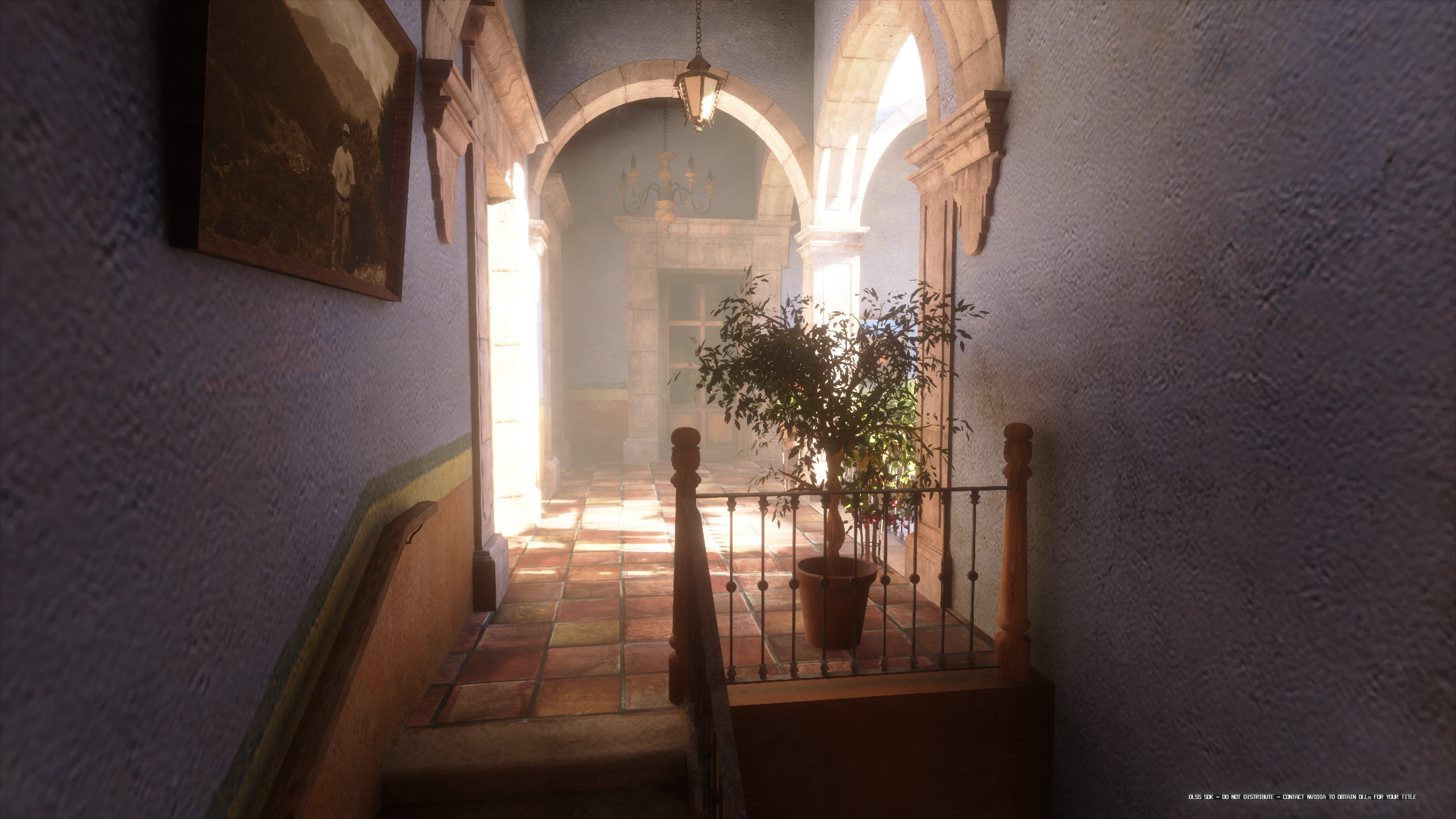
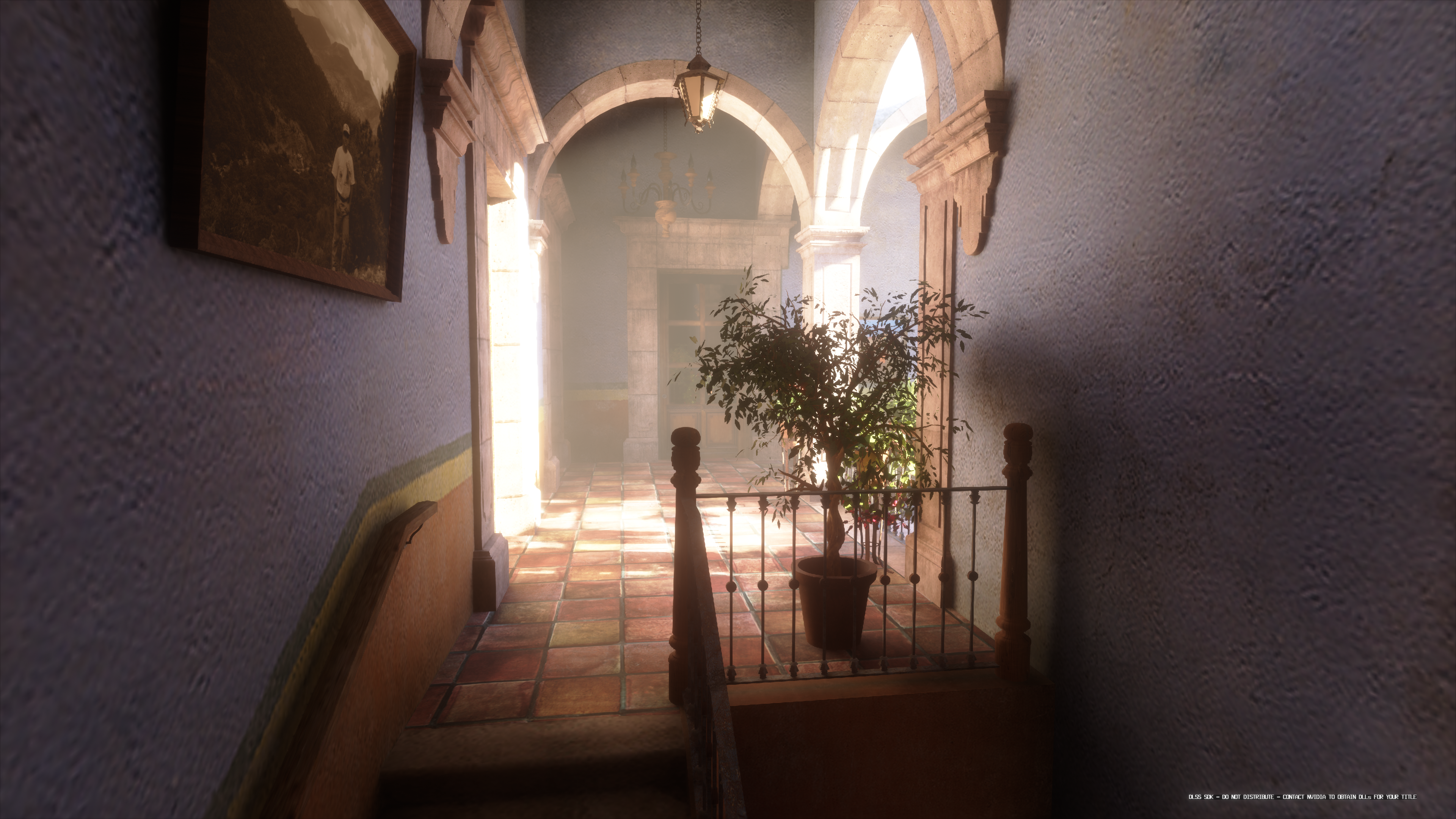
Using biased form of ReSTIR sometimes can remove small indirect shadows as described in https://github.com/EmbarkStudios/kajiya/blob/main/docs/gi-overview.md. In that article, author suggest using weighted result from raw tracing data and reservoir after ReSTIR. I’ve tried this approach in my project, but I didn’t see much benefit - likely because I replace initial reservoirs with history reservoirs for untraced pixels. Instead, I aggressively reduce reservoir’s max age based on its hit distance: closer intersections have a lower max age. I get this distance from the denoiser, which tracks it for specular reprojection. Currently, I exclude this mechanism for materials with very low roughness, as indirect shadows in such cases are usually not important. Additionally, reducing the max age for these reservoirs can make it harder to fill in missing data from VRT, since spatial reuse becomes less reliable at low roughness.
Without distance-based max age
With distance-based max age
Another important thing is that each reservoir can store flags such as “Validated,” which indicates a sample doesn’t need another visibility ray to confirm validity. I automatically set this flag for initial reservoirs, and I remove it only when a reservoir is updated during spatial resampling. Typically, I leave it set for temporal updates - except in one reservoir per 2×2 tile if the current tracing rate is coarser than 2×2. This way, we trace visibility rays only for up to 25% reservoirs resampled spatially which is a tradeoff between performance and faster reaction time to changes in the scene.
Boiling Filter
After temporal resampling, I apply a boiling filter similar to the one in NVIDIA’s RTXGI. It detects extremely bright samples by comparing a sample’s brightness to the average brightness of an 8×8 block. This helps prevent a single rare, bright sample (with very low PDF) from accumulating a large weight and propagating across neighboring pixels, which can cause “boiling” artifacts.
Spatial Resampling
I then run spatial resampling. By default it’s a single pass, checking three samples per pixel. It’s largely standard ReSTIR with small modifications:
- Only pixels that actually traced rays this frame are considered during resampling. This gives untraced pixels a better chance to find fresh data.
- Because I use only three samples, the reservoir tracks a “sampling range” to preserve it between frames. If the tested sample can be reused, this range is expanded, if it fails, range is shrunk. This range is also significantly reduced if final visibility check for given sample fails.
- Inspired by kajiya, all pixels in a wave test similar neighbors for a higher cache-hit ratio, and I do a screen-space trace for quick visibility testing.
To enable sampling of only traced pixels, the trace-allocation step produces another full-resolution uint8 texture. Each pixel in this texture stores its variable rate (in 4 bits) and the local offset (2 bits for x, 2 bits for y) that identifies which exactly pixel was traced this frame. That offset might refer to the same tile or a neighboring tile if the rate is coarser than 4×4. I use a bitwise operation like: coords & ~(variable_rate - 1u) to find the block’s origin, exploiting the alignment property (e.g., 4×4 blocks start at multiples of 4).
Second Tracing Pass Experiments
At some point I also tried a second tracing pass to handle disocclusions. After temporal resampling, any pixel lacking a valid reservoir would schedule extra rays if a warp had too many invalid reservoirs. It worked for disocclusions but was quite expensive, mostly because those rays were extremally incoherent. I eventually abandoned it in favor of a simpler fallback and optional depth test during variable-rate reprojection, which was faster and looked just as good.
Final Visibility Test
When both temporal and spatial resampling are complete, I run an extra visibility check on any reservoir lacking the validated flag (generally those will be reserviors updated during spatial resampling, plus some updated in temporal pass). This step traces a ray from the visible point to the reservoir’s sample point. If the sample is occluded, it cannot be used as it doesn’t belong to the sampling domain of the visible point, so reservoir is replaced with the old initial_reservoir (even if it’s invalid), and I shrink its spatial range to improve odds of finding a valid sample next frame.
Lastly, I perform Monte Carlo integration. Here’s where the final fallback for VRT can be used: if a pixel still has no valid reservoir, it just uses the result from the nearest traced pixel. (I reuse the entire integrated result, not only sample point, because the sample point alone might be invalid for this pixel’s geometry). I then demodulate specular and feed the results into a denoiser that handles diffuse and specular reflections separately. This denoiser is based on [ReLAX: A Denoiser Tailored to Work with the ReSTIR Algorithm](https://www.nvidia.com/en-us/on-demand/session/gtcspring21-s32759/). It also exports variance estimation as described in previous section.
After denoising, I composite reflections alongside volumetric fog and direct lighting in another shader. This is also a moment when reflection influence textures are created. Finally, I generate the variable rate texture for the next frame using the previously described heuristic.
Whole pipeline
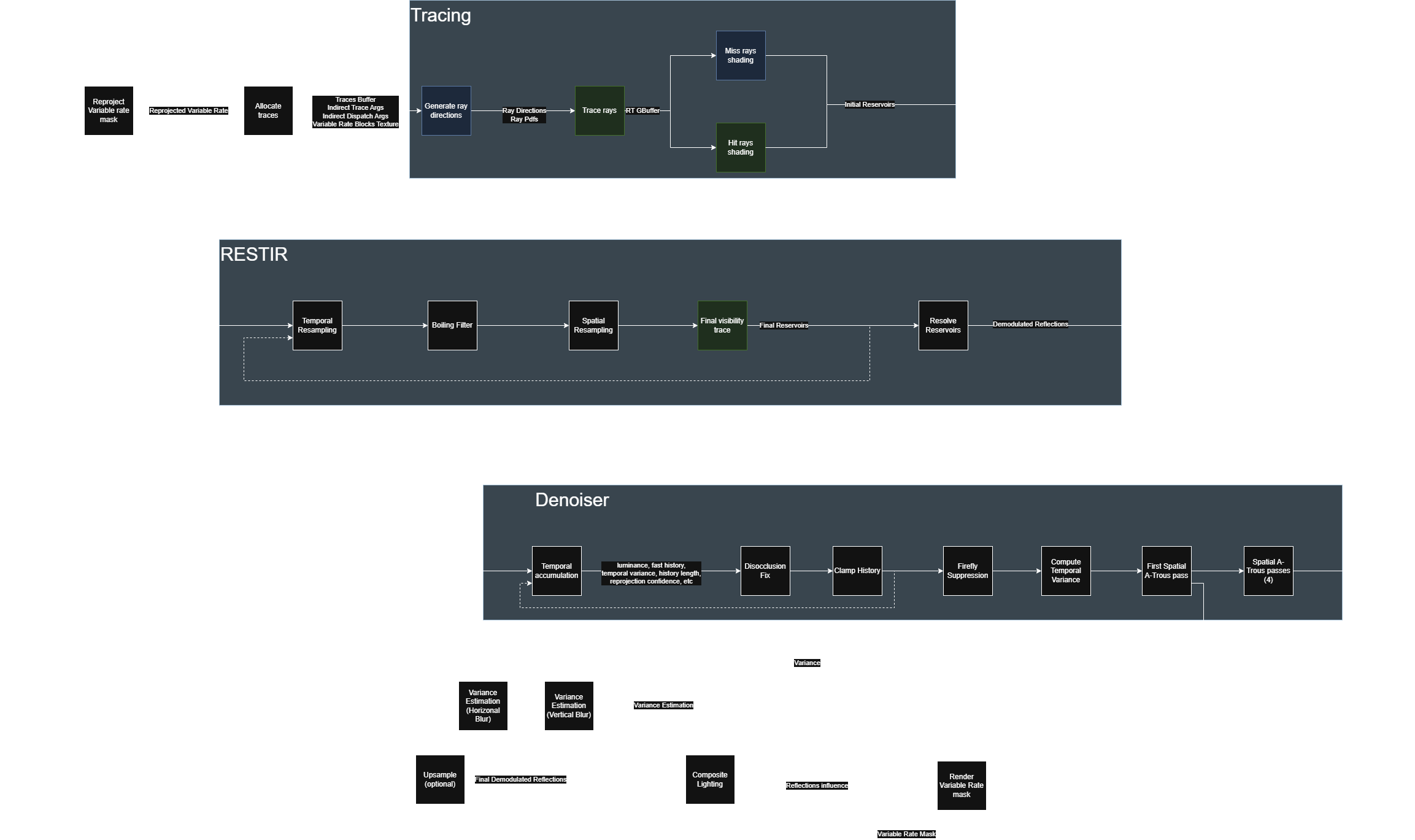
Below is a diagram illustrating all the passes and their data flow. Black squares represent compute dispatches, blue squares are indirect dispatches, and green squares are indirect ray-gen shader dispatches.
Continuous lines show dependencies within a single frame.
Dashed lines show dependencies where the source is from frame N, and the destination is in frame N+1.
Resolve process
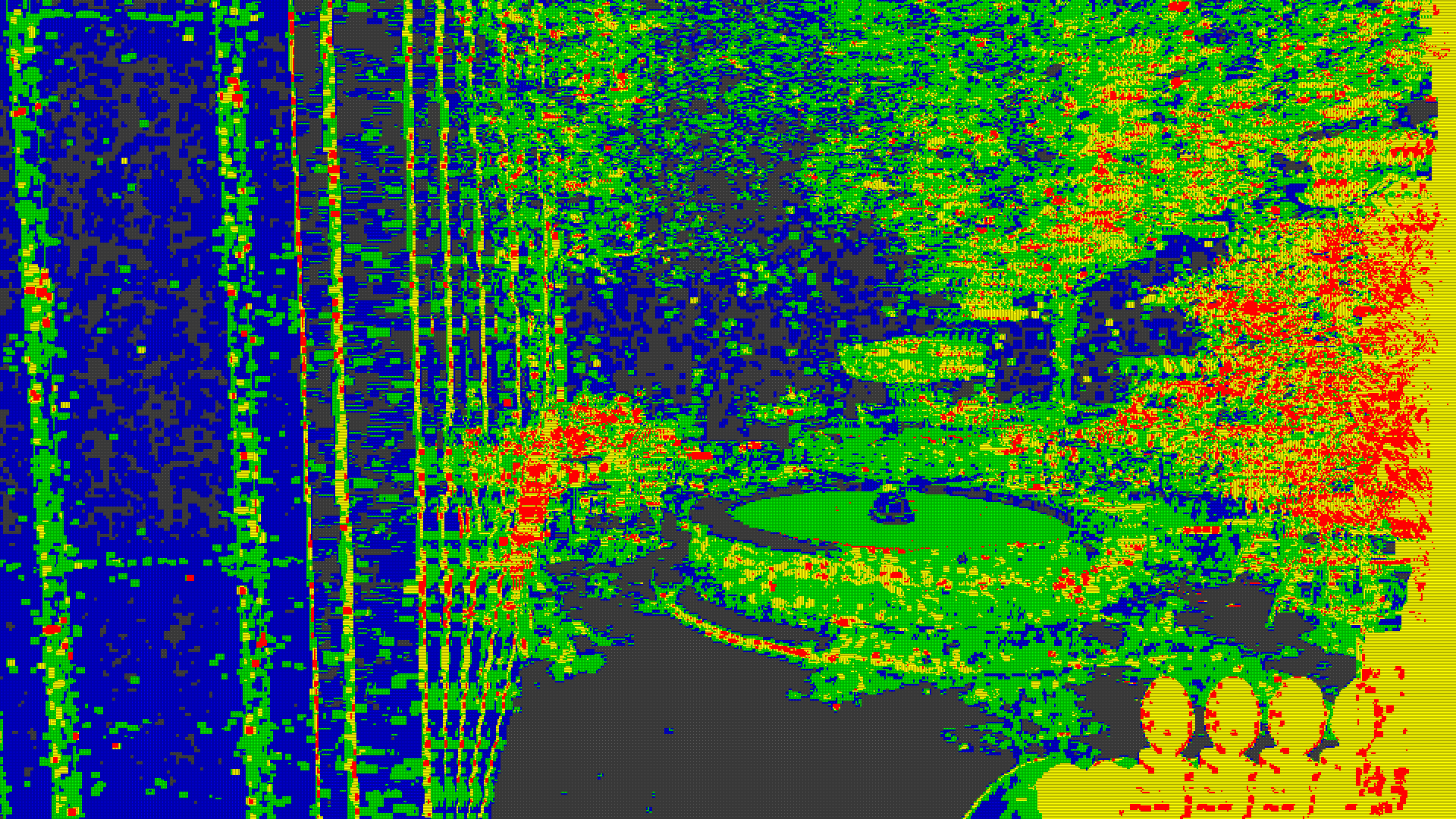
The following images were captured in a single frame while the camera was moving to the right.
- Tracing Rate Visualization
- Red: 1×1
- Yellow: 1×2 or 2×1
- Green: 2×2
- Blue: 4×2 or 2×4
- Gray: 4×4
-
Initial Reservoirs After tracing
Next image shows data in reservoirs after tracing. Black pixels were not traced this frame.
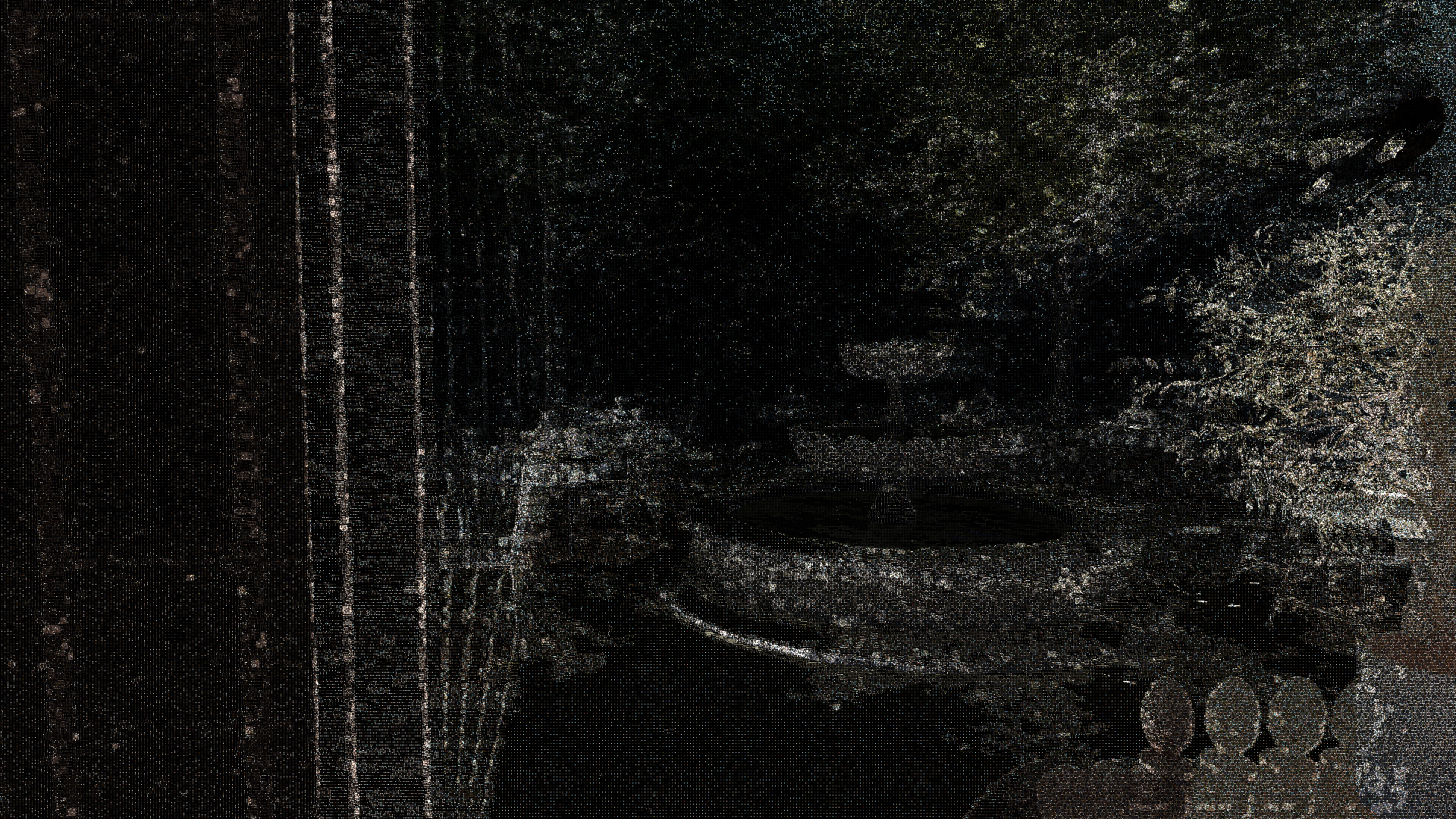
-
Reservoirs after temporal resampling
In the next image, most of the missing pixels have already been filled in, except for the area on the right side of the column (which was disoccluded this frame) and the water surface in the fountain (it has zero roughness, so it doesn’t use resampling). Some missing reservoirs also appear near the trees - likely due to jitter.
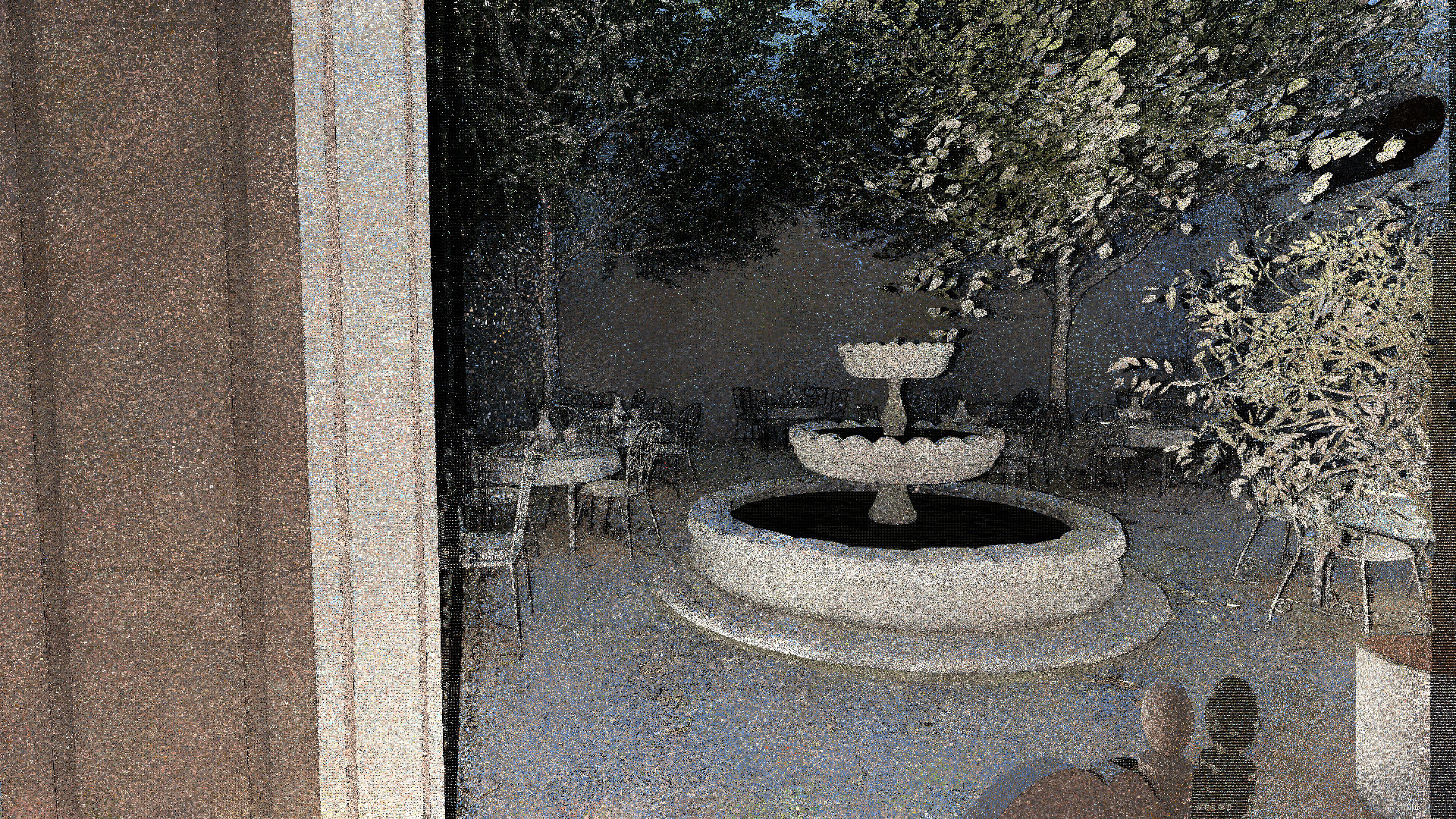
-
Reservoirs after spatial resampling
This image shows the state of reservoirs after spatial resampling. Many of the invalid reservoirs from the temporal pass are now updated - noticeably near the tree and fountain, and on the newly revealed wall and floor. There’s still some missing data on the disoccluded portion of the tree, because the complex geometry lowers the chance of finding spatially reusable samples.
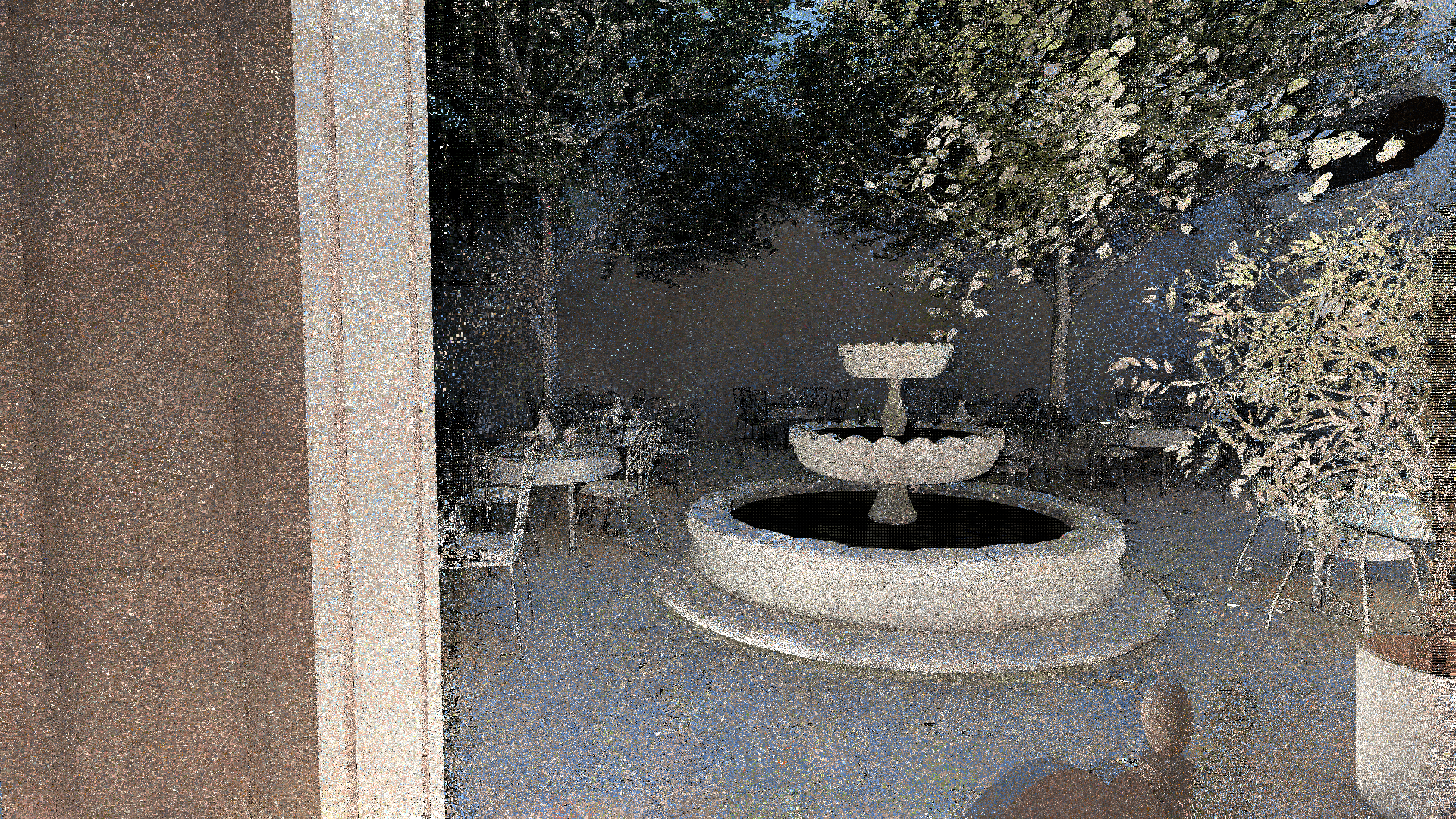
-
Final reservoirs
The next image shows the final reservoir data. By this point, any remaining missing data has been replaced with tracing pixels from the appropriate variable-rate block. Additionally, reservoirs with occluded sample points were replaced by their initial reservoirs. Notice the water surface now also has filled data.
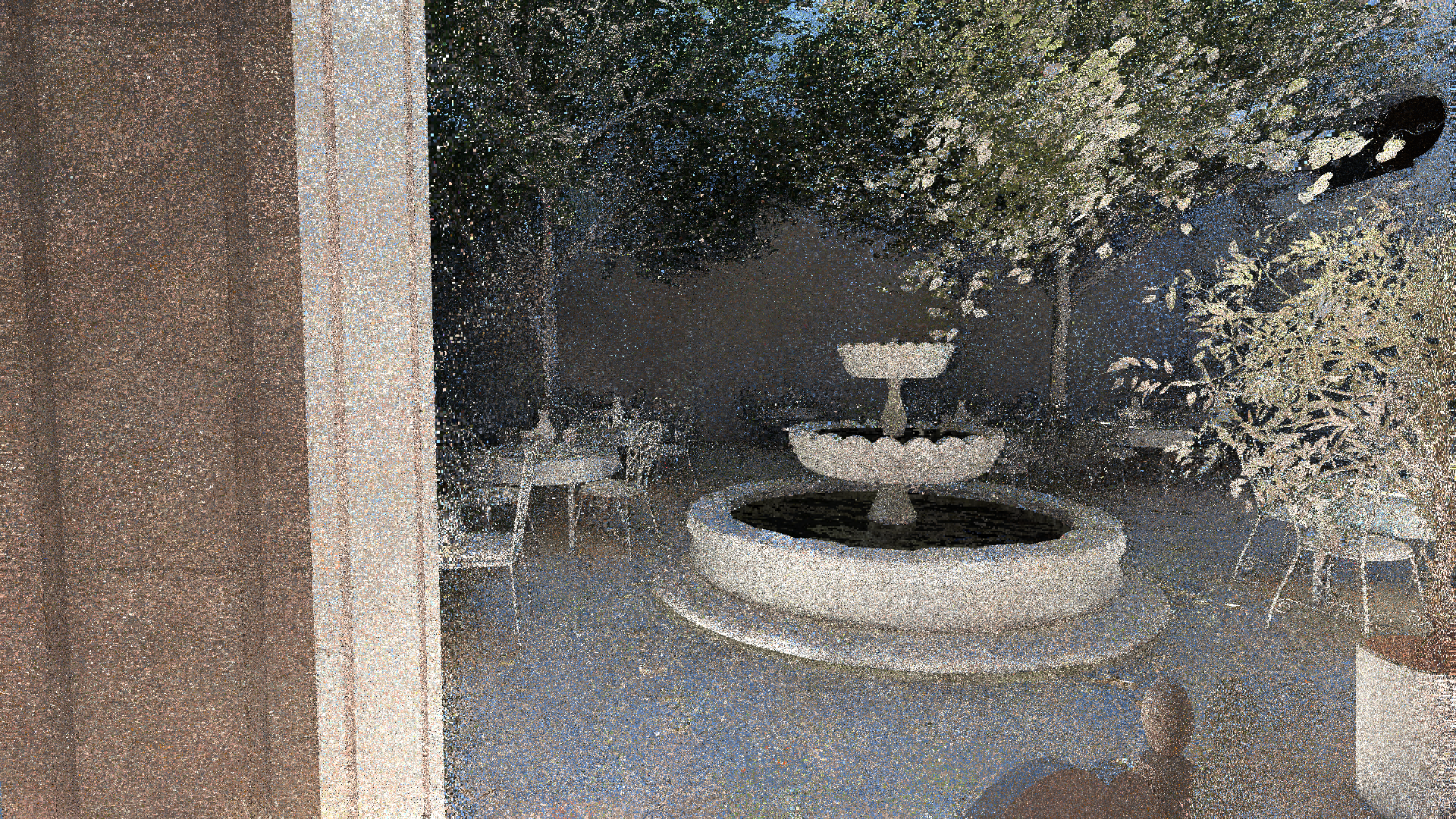
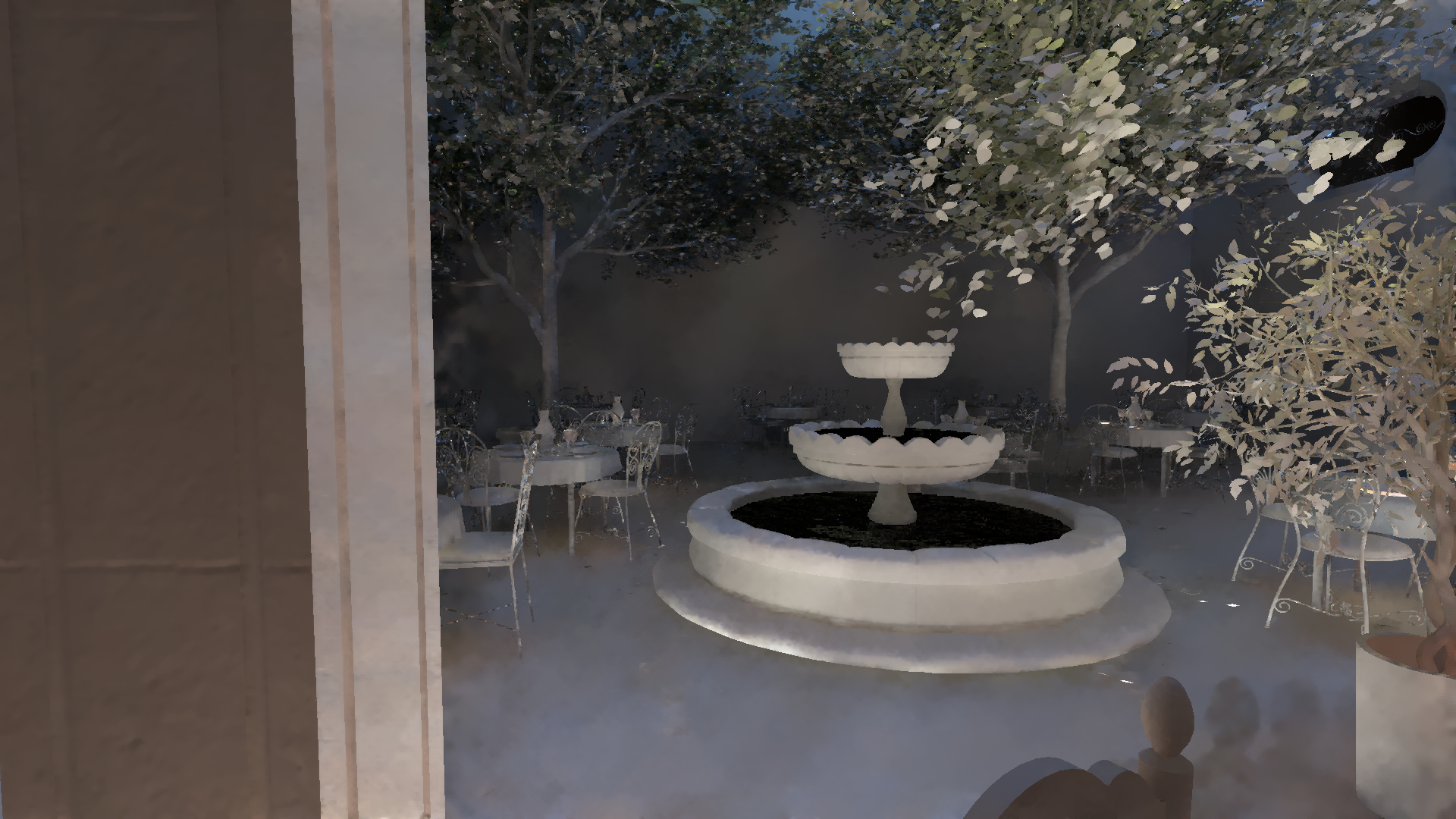
Next, you can see the denoised diffuse results.
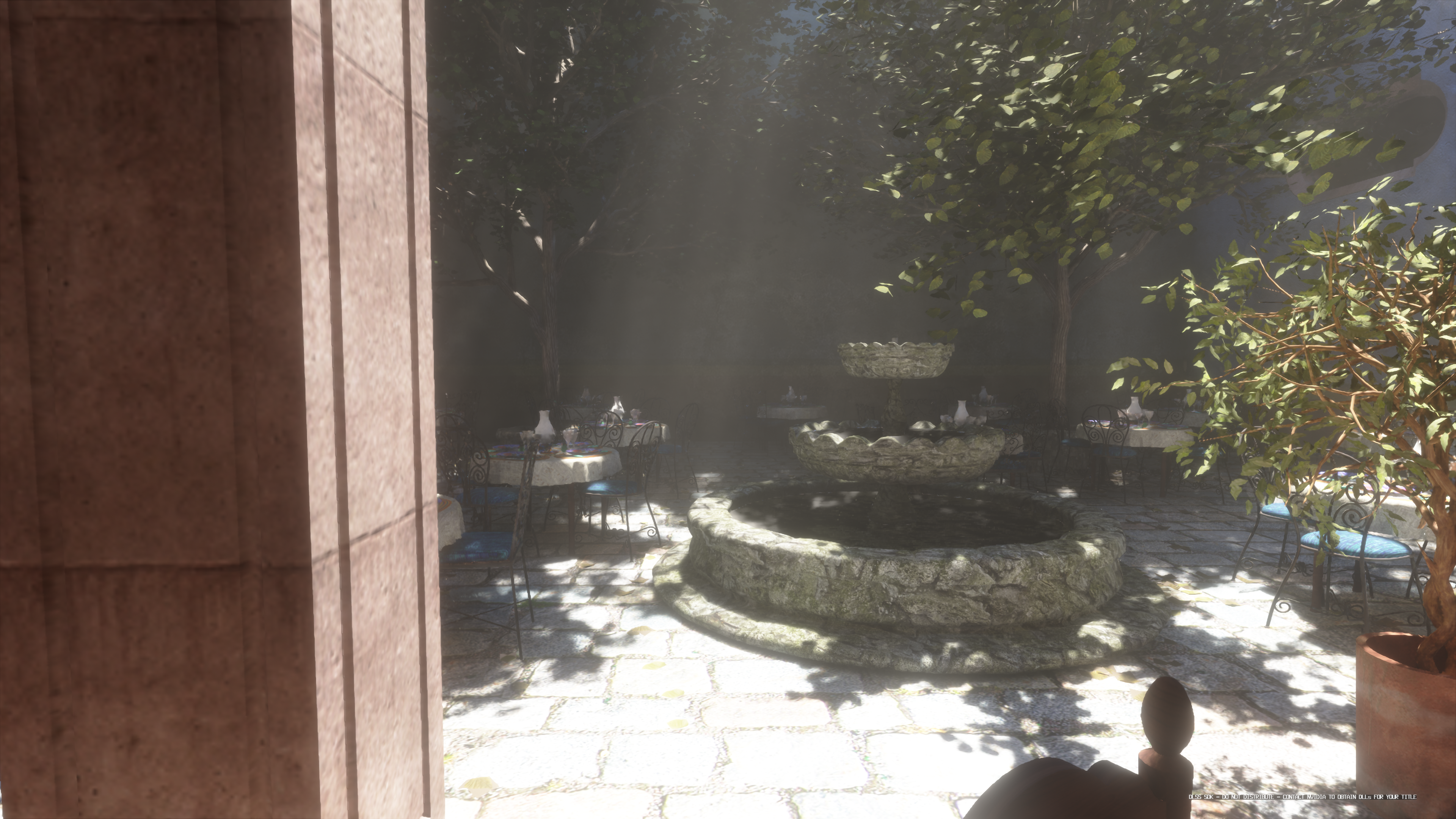
Finally, here’s the composited lighting after tonemapping.
Below is a link to a video showcasing how everything looks in practice:
https://www.youtube.com/watch?v=KCaOl12h75g
Results
Variable Rate Tracing performance
VRT savings depend heavily on scene complexity and materials. Scenes dominated by rough metals or non-metal materials tend to benefit more as ReSTIR’s sample reuse is more effective. On top of that, alpha-tested geometry which uses any-hit shaders tends to magnify performance gains even more because it’s especially expensive to ray-trace.
Below, I’ll show the tracing rate and timing results for a few scenes. Note that in my project, the proportion of time spent on different stages differs from a typical game engine. For example, I evaluate a detailed material model during tracing, making it relatively expensive. In contrast, many production engines do simpler lookups or store aggregated material data (e.g., Frostbite uses a single color per mesh-material subset; Far Cry 6 stores material properties per vertex; Avatar uses one material per mesh). Hence, my timing gains might be larger than in a typical engine, so I think that percentage of tracing pixels might be more representative than gains in milliseconds. Also, my “full rate” mode still has some VRT-friendly design choices baked in (e.g. it still executes “traces allocation” shader), which can further amplify the perceived savings.
All screenshots were taken at 4K resolution with DLSS upscaling from Full HD (i.e., 50% of output resolution) on an RTX 4090 laptop. Note that ReSTIR timings also include the final visibility pass, whose cost depends on the tracing rate.
San Miguel
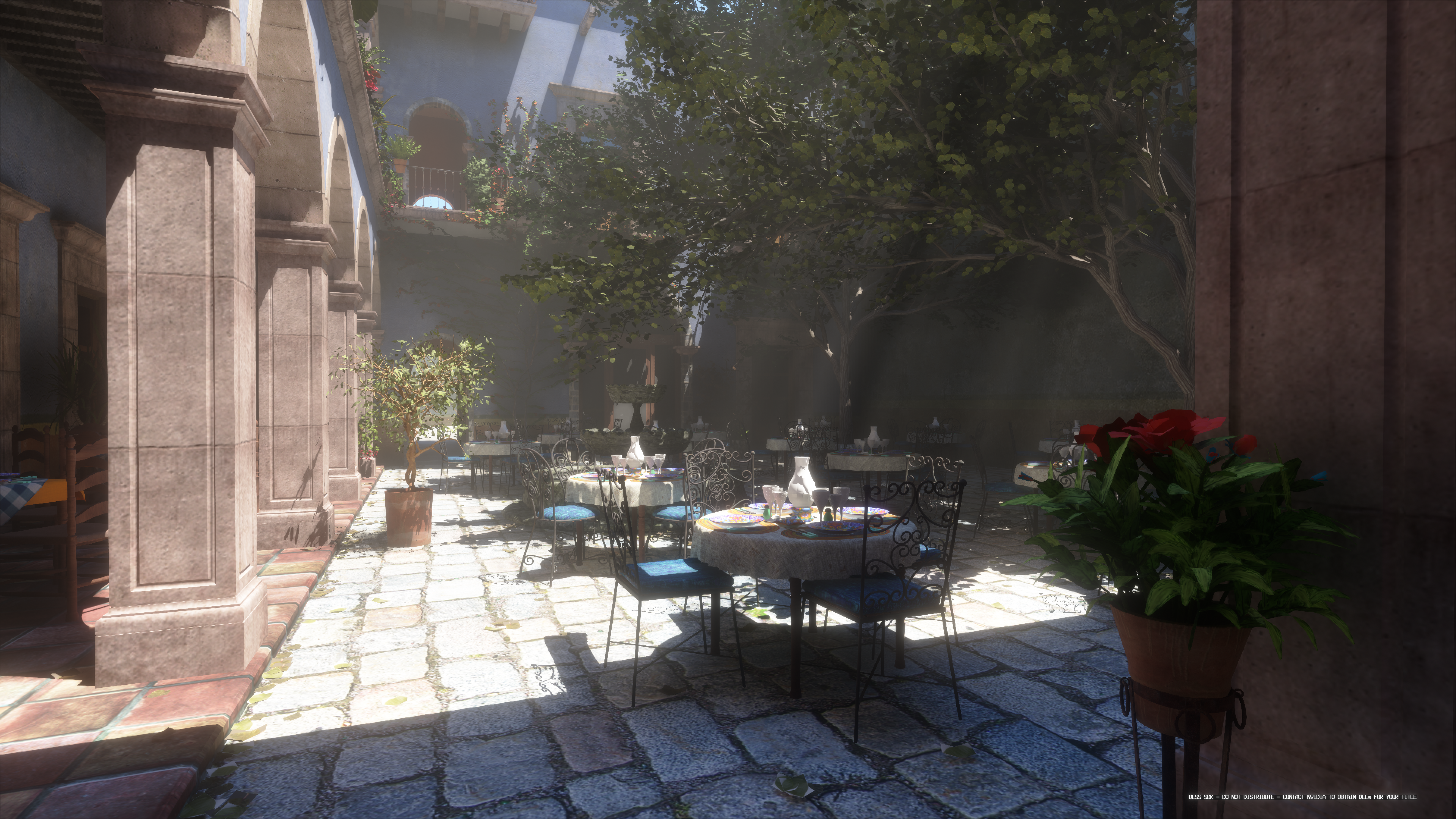
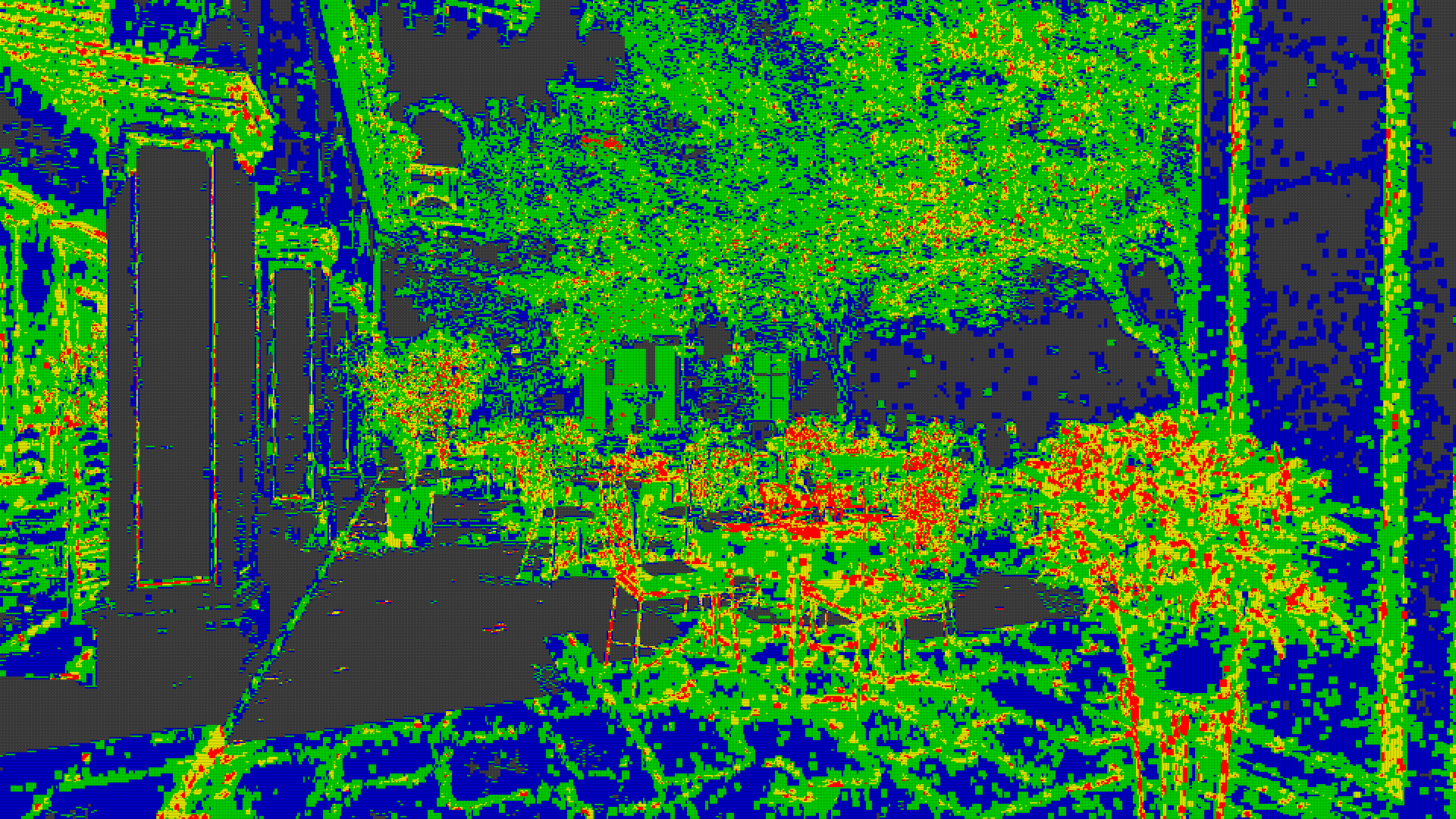
San Miguel is an example of a scene that benefits significantly - it has almost entirely non-metal surfaces plus large alpha-tested geometry (trees), which are expensive for ray tracing (I’m not using micromaps). In this scene, VRT saved 78.77% of traced rays and 38.22% of the RT reflection time.
Frame:
Tracing Rate Tiles:
With VRT
Without VRT
Pica Pica
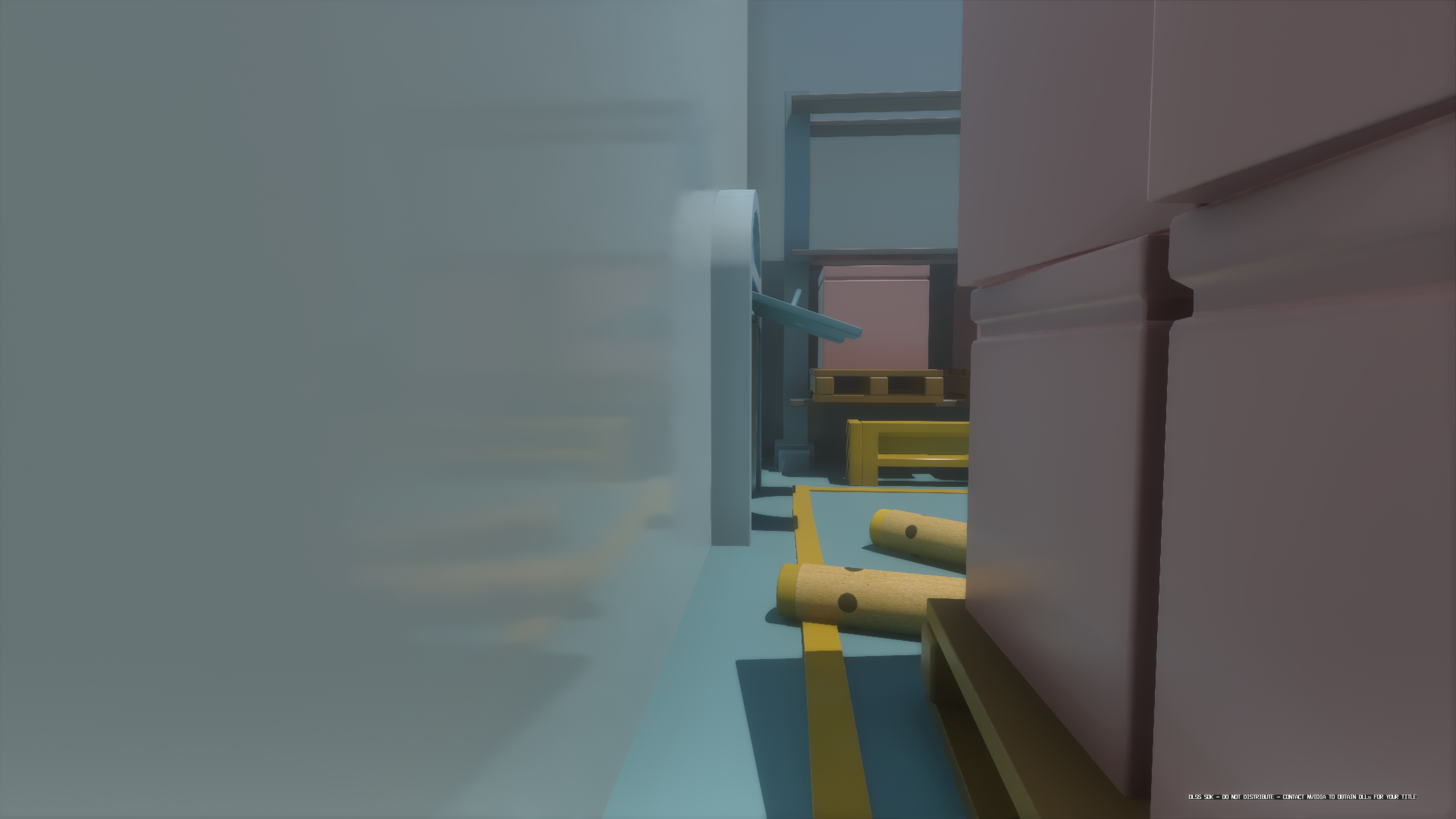
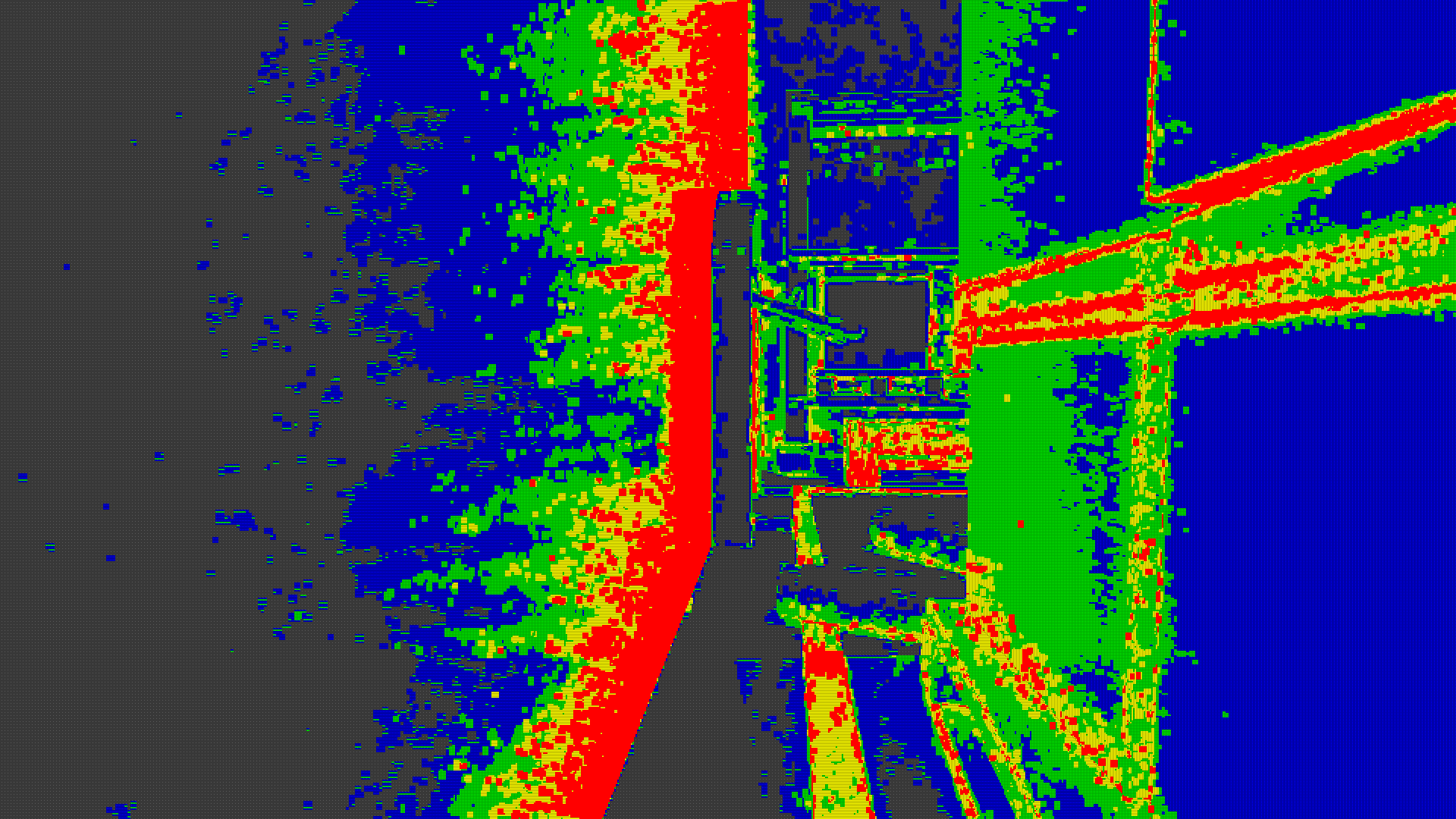
The Pica Pica scene (diorama from SEED-EA/pica-pica-assets) is small and has fairly simple geometry, so tracing is inherently fast. However, the materials pose a challenge for resampling: the walls are very smooth (roughness around 0.1), so ReSTIR struggles to find good reservoirs for specular reflections, especially at grazing angles. In the frame below, the heuristic traces more rays in areas of the wall with higher Fresnel term, while in other spots (where diffuse dominates) fewer rays are used. In This case VRT saved 78.21% of rays. Overall, the time savings here are around 19.32%, mainly because the baseline tracing cost is already low.
Frame:
Tracing Rate Tiles:
With VRT
Without VRT
Sun Temple
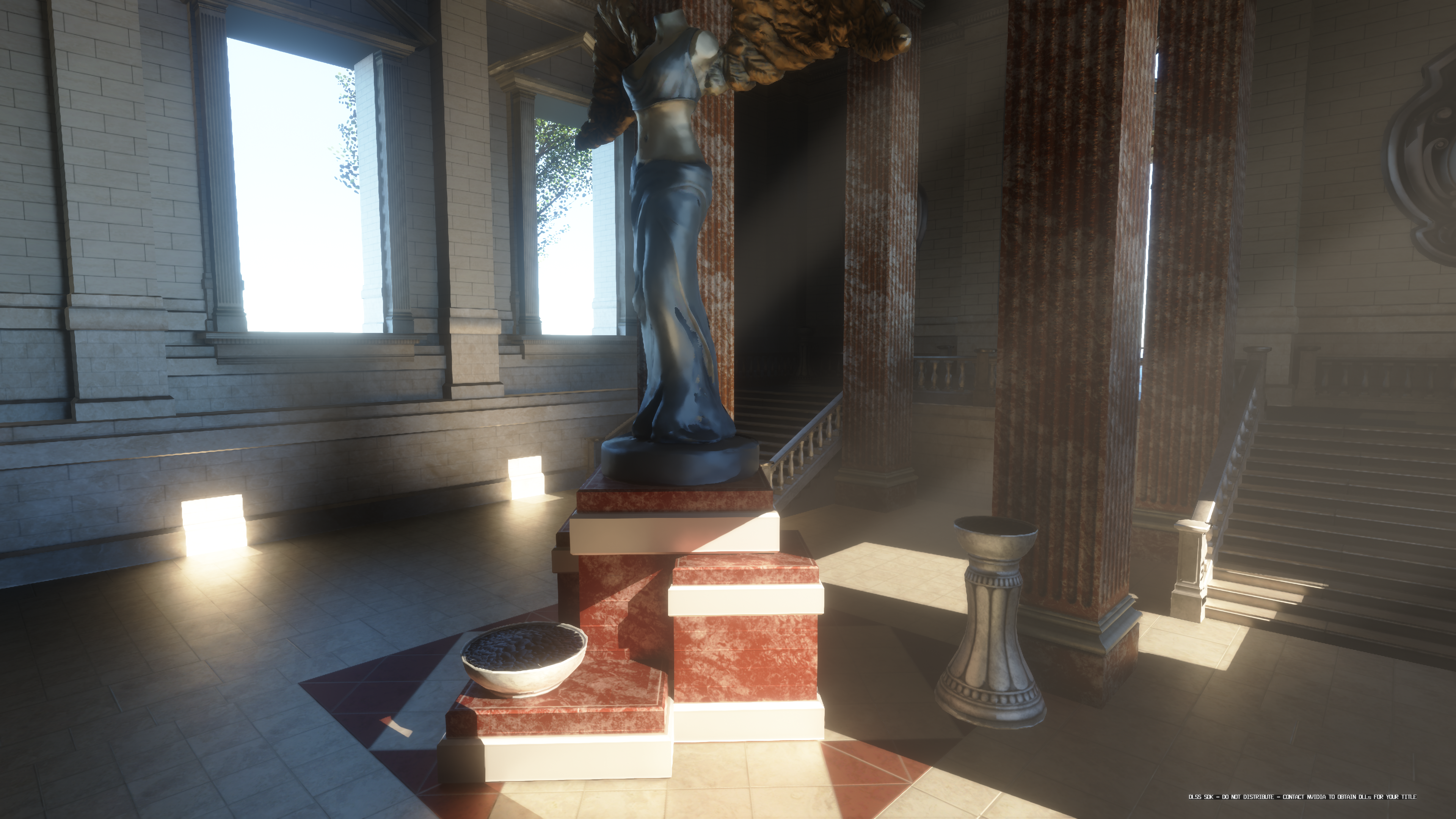
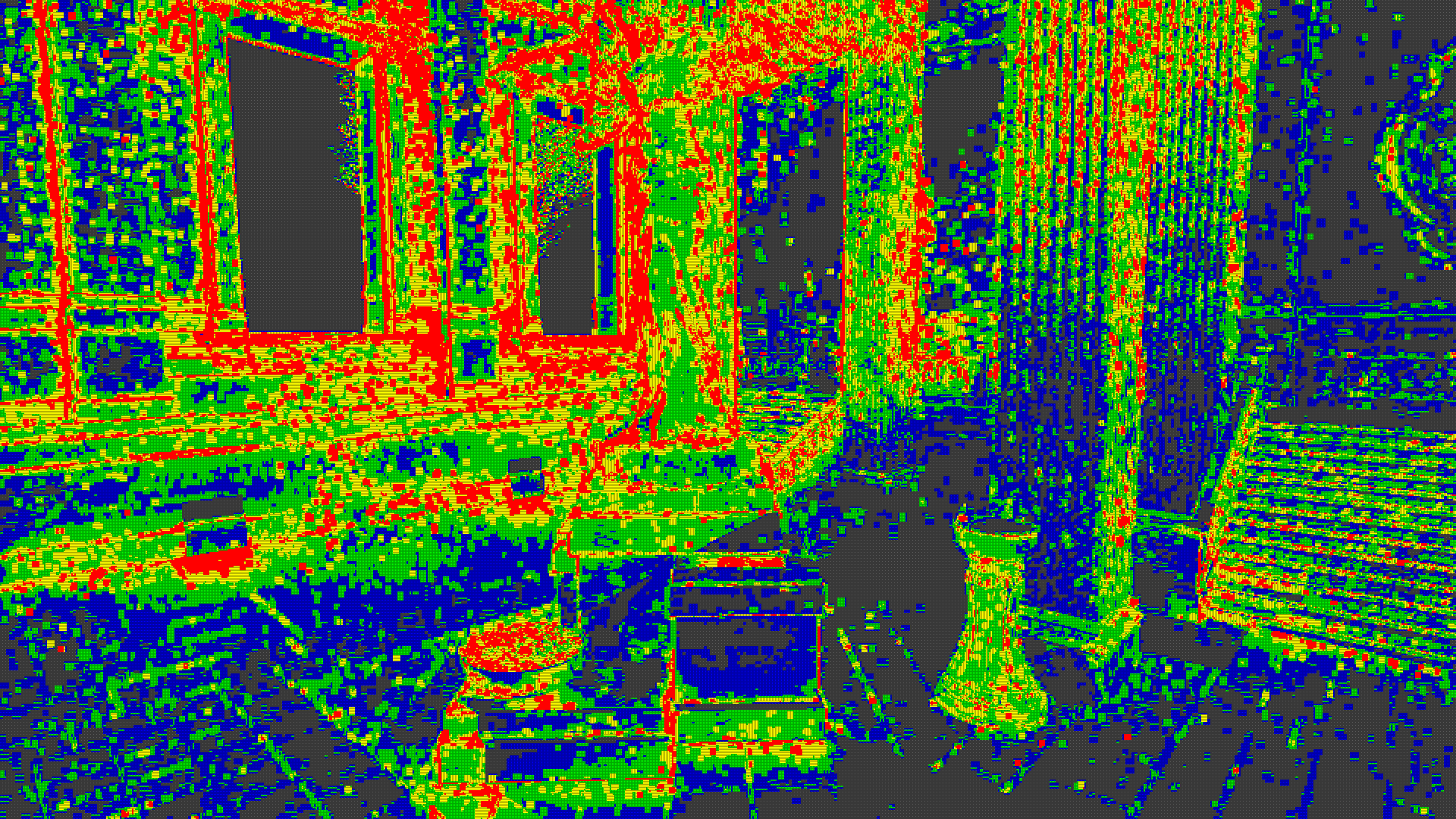
Sun Temple consists primarily of rough, metallic surfaces - an advantageous scenario for ReSTIR, because the higher roughness broadens the specular lobe, making reuse easier. In this scene, VRT saved 71.46% or rays and around 27.18% of the time.
Frame:
Tracing Rate Tiles:
With VRT
Without VRT
Quality
Quality of VRT depends on scene characteristic. For example, on San Miguel scene, which has mostly rough, non-metal materials, images rendered with and without VRT are very similar. Differences are most visible in places where there are strong indirect shadows - sometimes they are way softer in version with VRT and sometimes they are even missing.
Pica pica is quite interesting example as it mostly VRT works well but it can break a bit when looking at geometry at grazing angles. Walls in that scene are very smooth but not metallic. Because of that mostly diffuse reflections matter so usually algorithm picks less rays. But on grazing angles specular reflections become visible (especially because specular reflections are very easy to distinguish because of low roughness) but sometimes heuristic doesn’t trace enough rays to cover both diffuse and specular at angles at which both contribute more or less equally.
Additionally, below I added comparison on Pica Pica with all materials set to fully metallic. This usually results in higher tracing rates as sample points are harder to reuse.
Lastly, there is Sun Temple which generally looks similar but there are some differences when using VRT, especially on the edges of a room, where it takes more rays to find window or geometry exposed to directional light. In those cases, VRT sometimes picks low tracing rates and misses those important samples because of small amount of rays traced every frame. This kind of feeds itself because it results in lower variance and therefore even lower tracing rate.
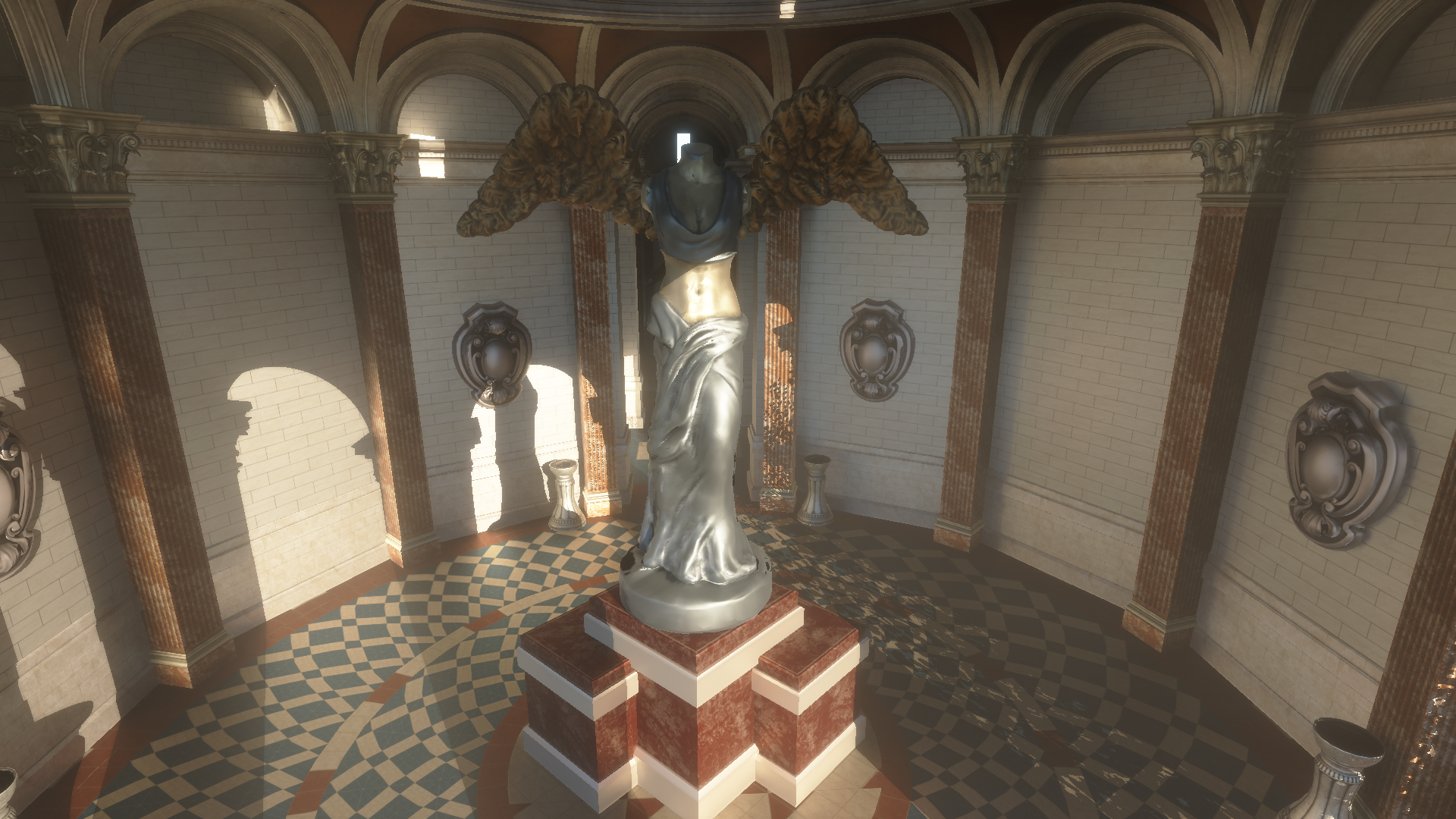
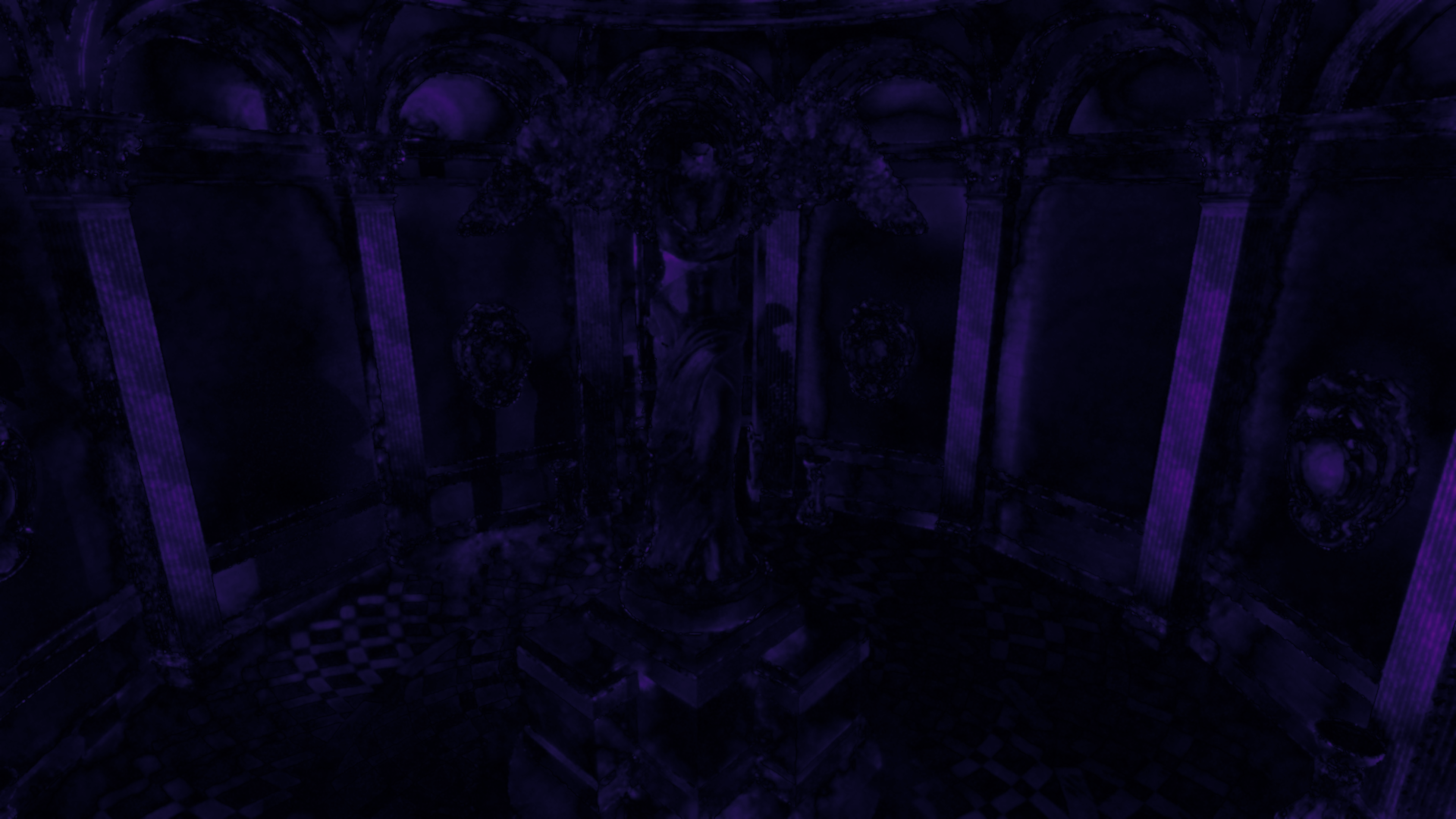
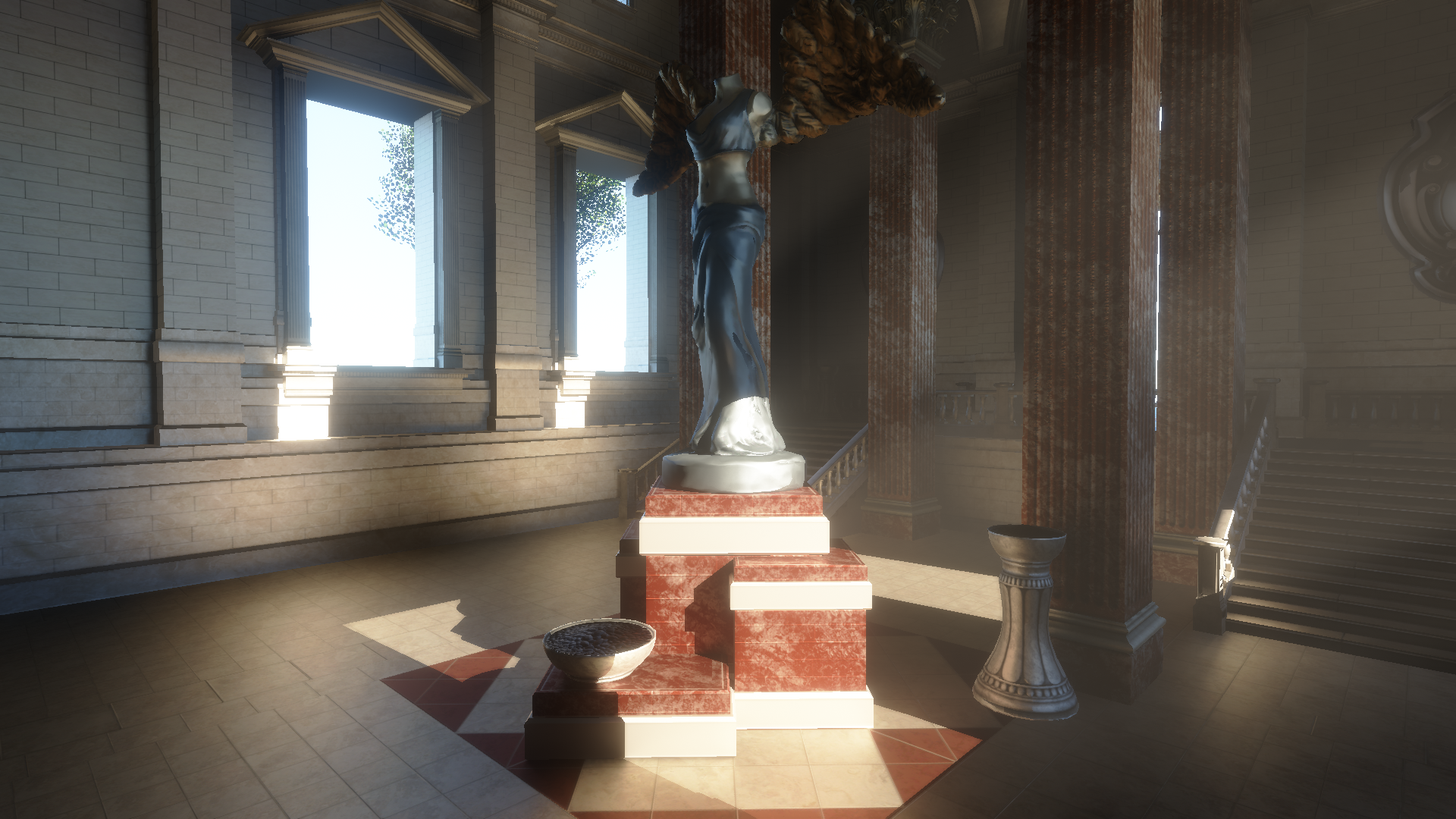
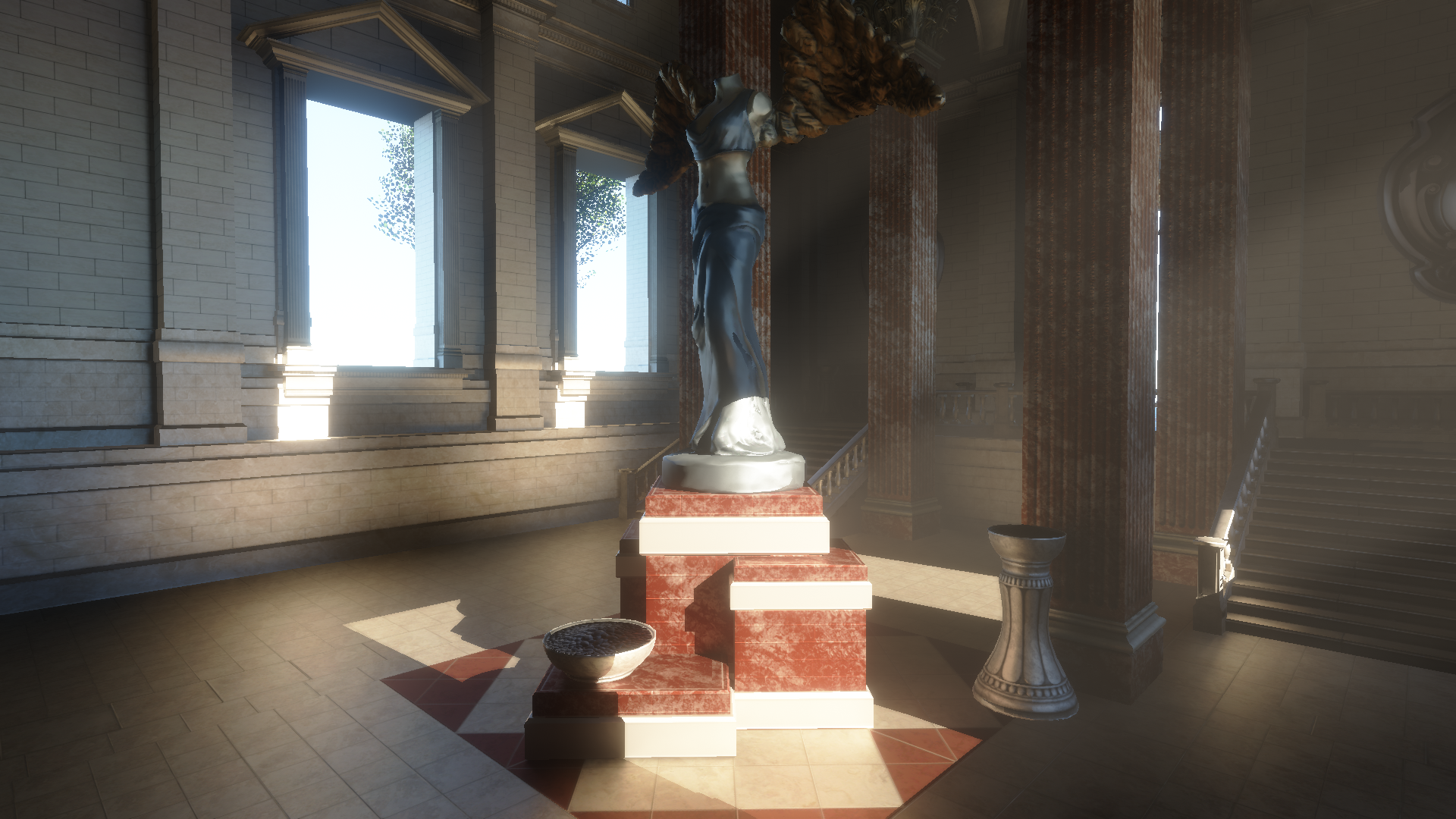
Below are comparisons from different scenes. Each comparison starts with an interactive slider: the left side shows the full-rate reference and the right side shows the variable-rate result. Under that, I include the NVIDIA FLIP error visualization together with the key statistics. All of these images were rendered at full HD, without anti-aliasing, upscaling, or soft ray-traced shadows to isolate the error caused specifically by VRT.
San Miguel 1
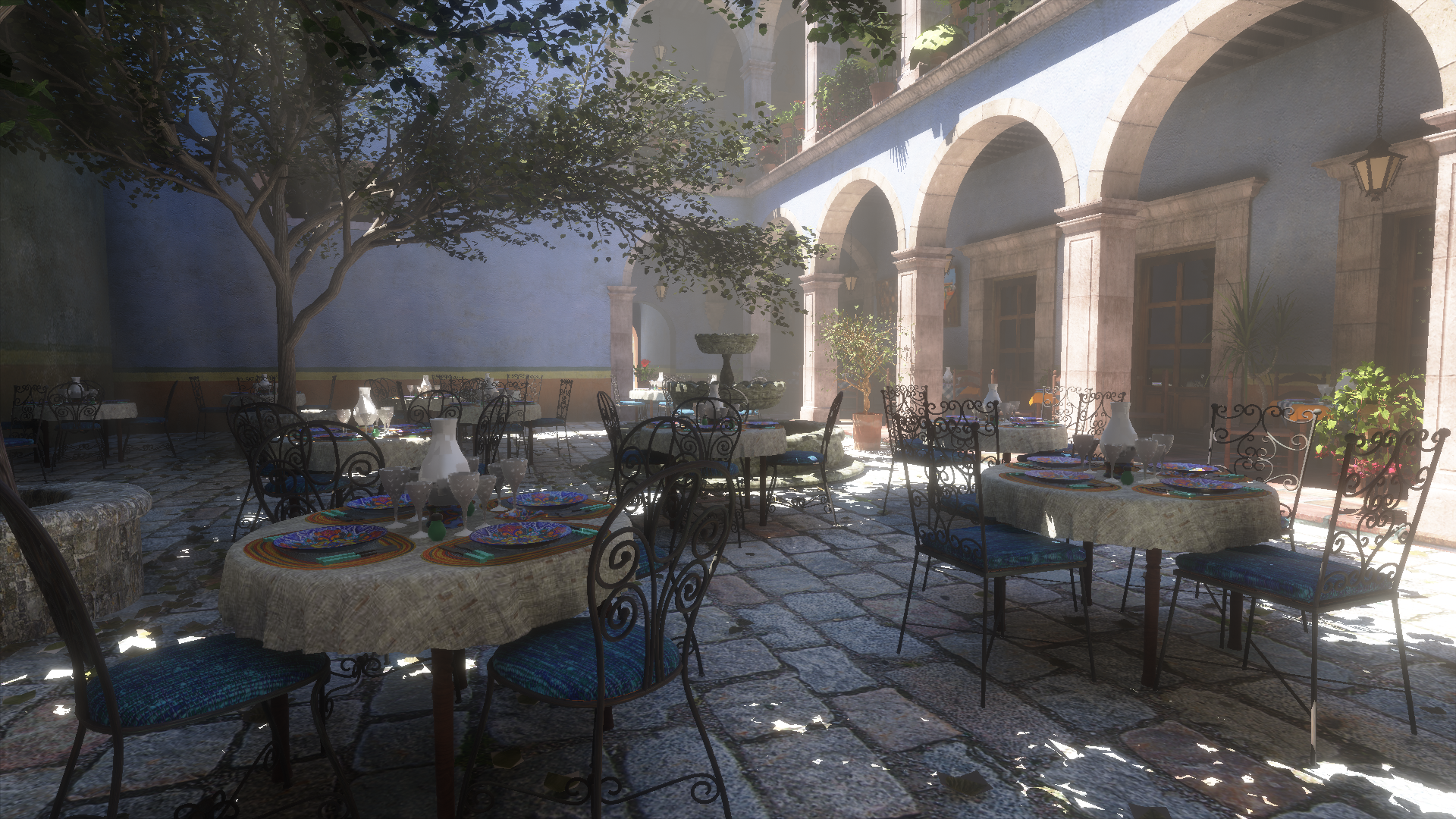
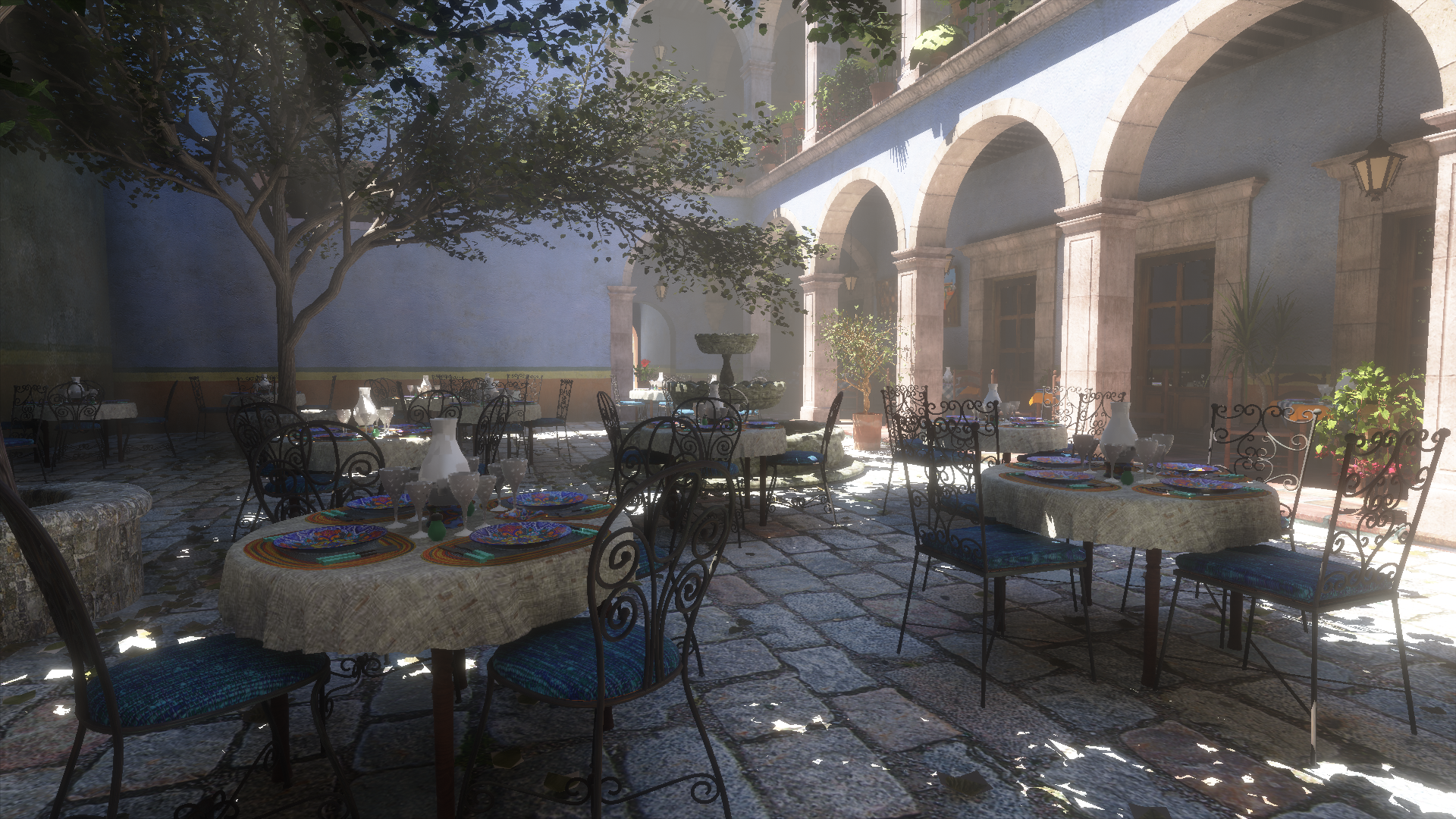
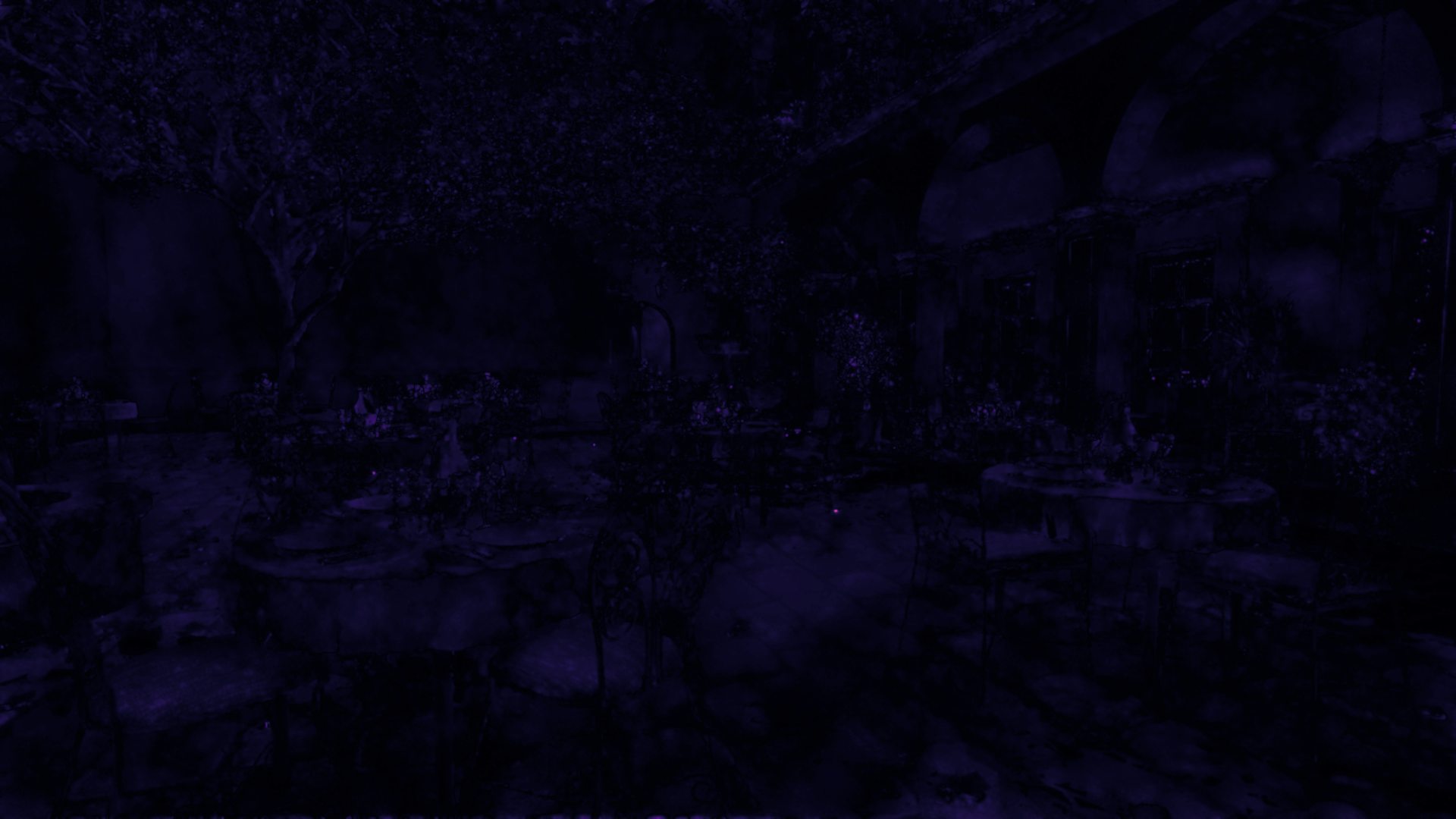
Stats
Tracing coverage
- Variable rate
- 19.11% tracing pixels
- Full rate
- 100% tracing pixels
FLIP error
- Mean
- 0.034320
- Weighted median
- 0.043663
- 1st weighted quartile
- 0.029751
- 3rd weighted quartile
- 0.060431
- Min
- 0.000000
- Max
- 0.603303
San Miguel 2
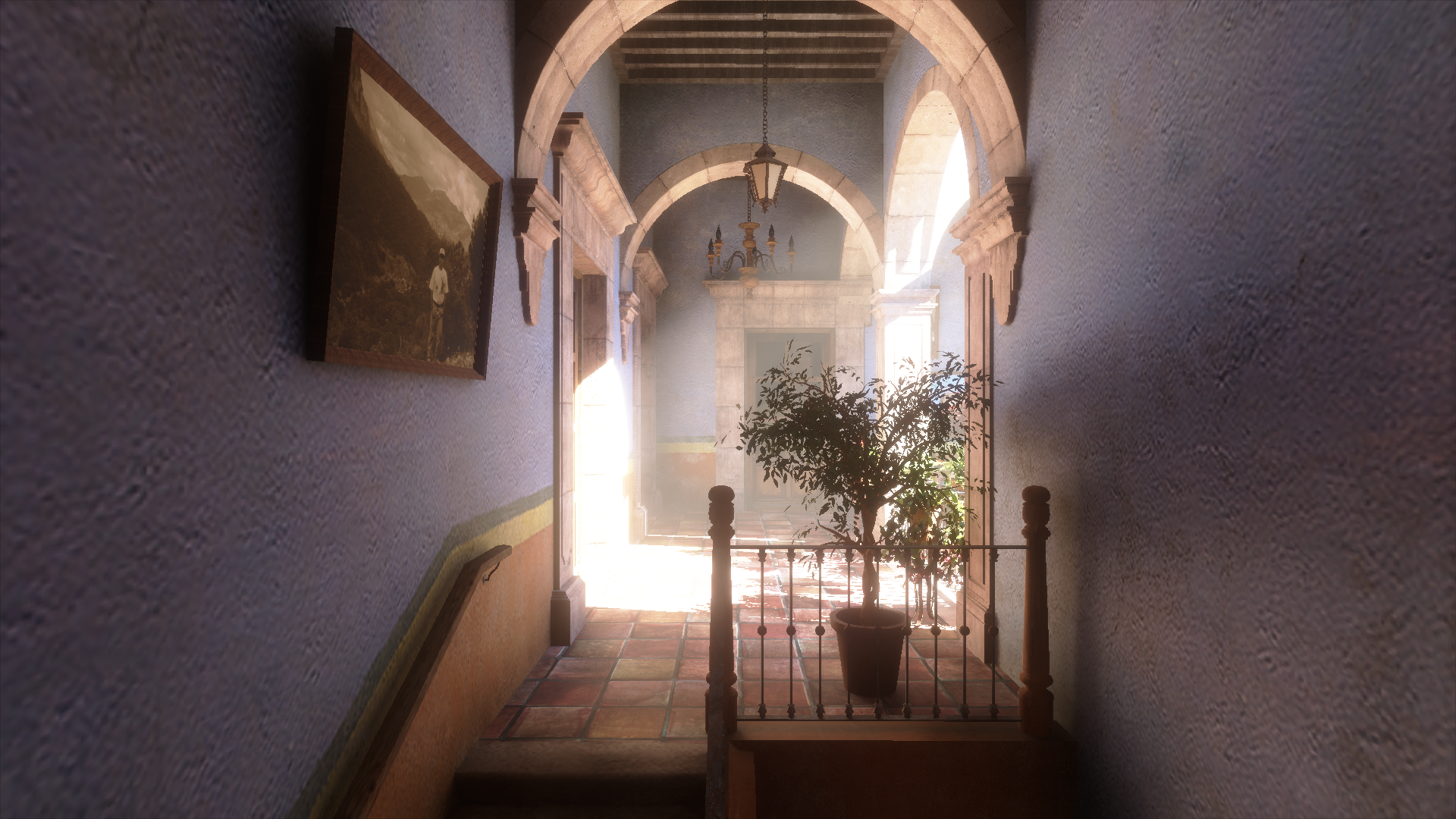
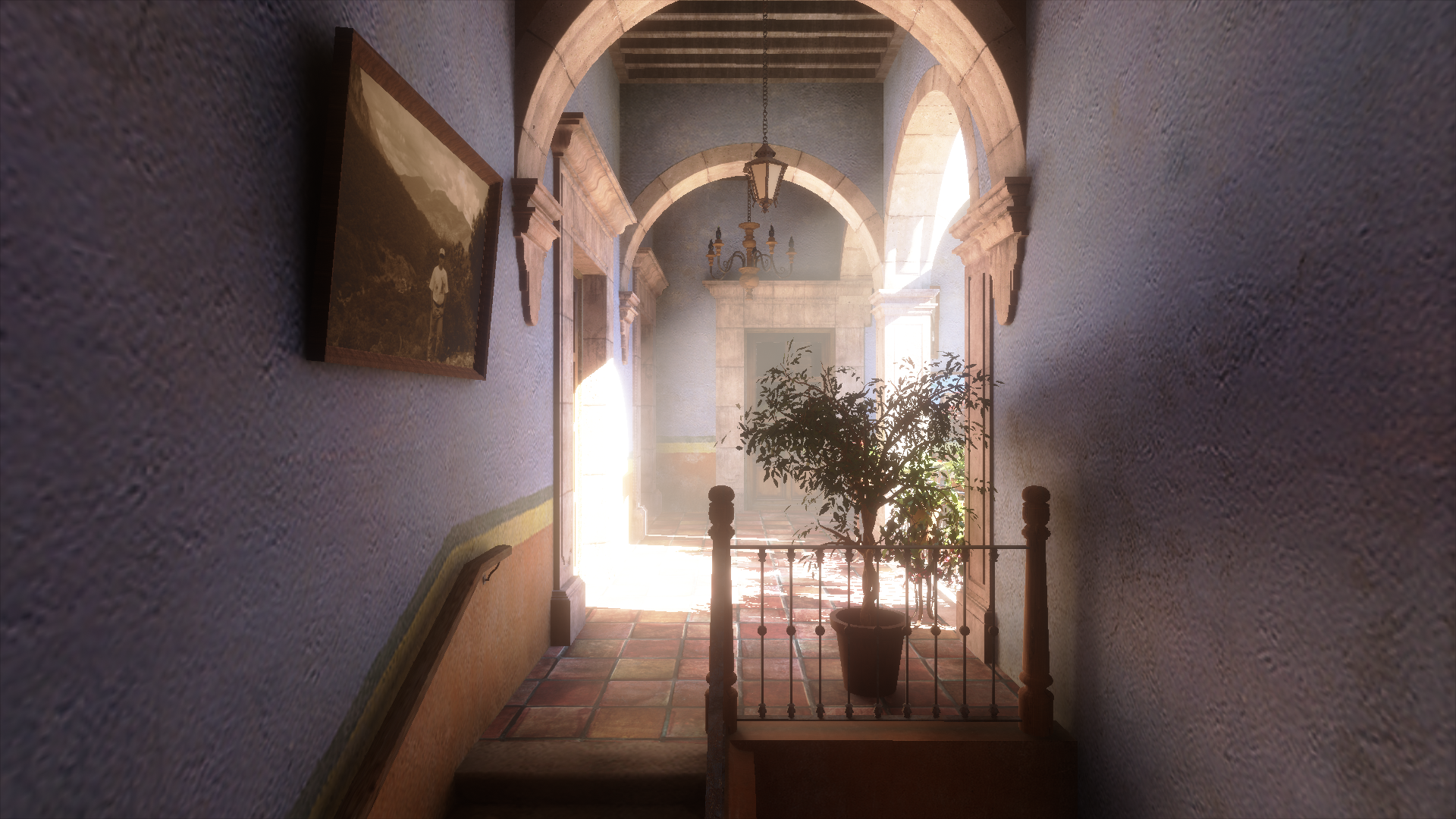
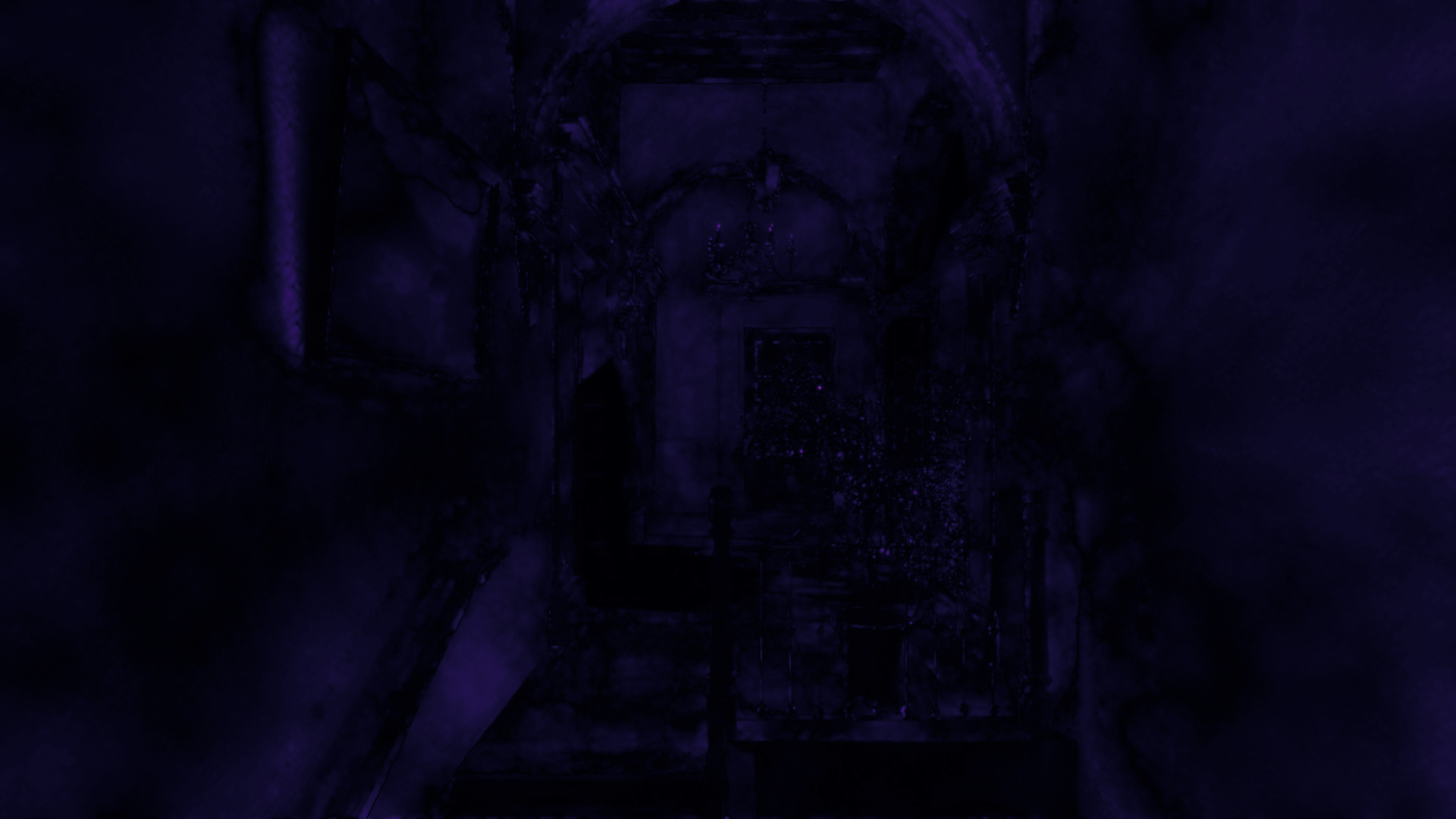
Stats
Tracing coverage
- Variable rate
- 32.82% tracing pixels
- Full rate
- 100% tracing pixels
FLIP error
- Mean
- 0.041690
- Weighted median
- 0.053420
- 1st weighted quartile
- 0.036576
- 3rd weighted quartile
- 0.070499
- Min
- 0.000000
- Max
- 0.4100000
Sponza
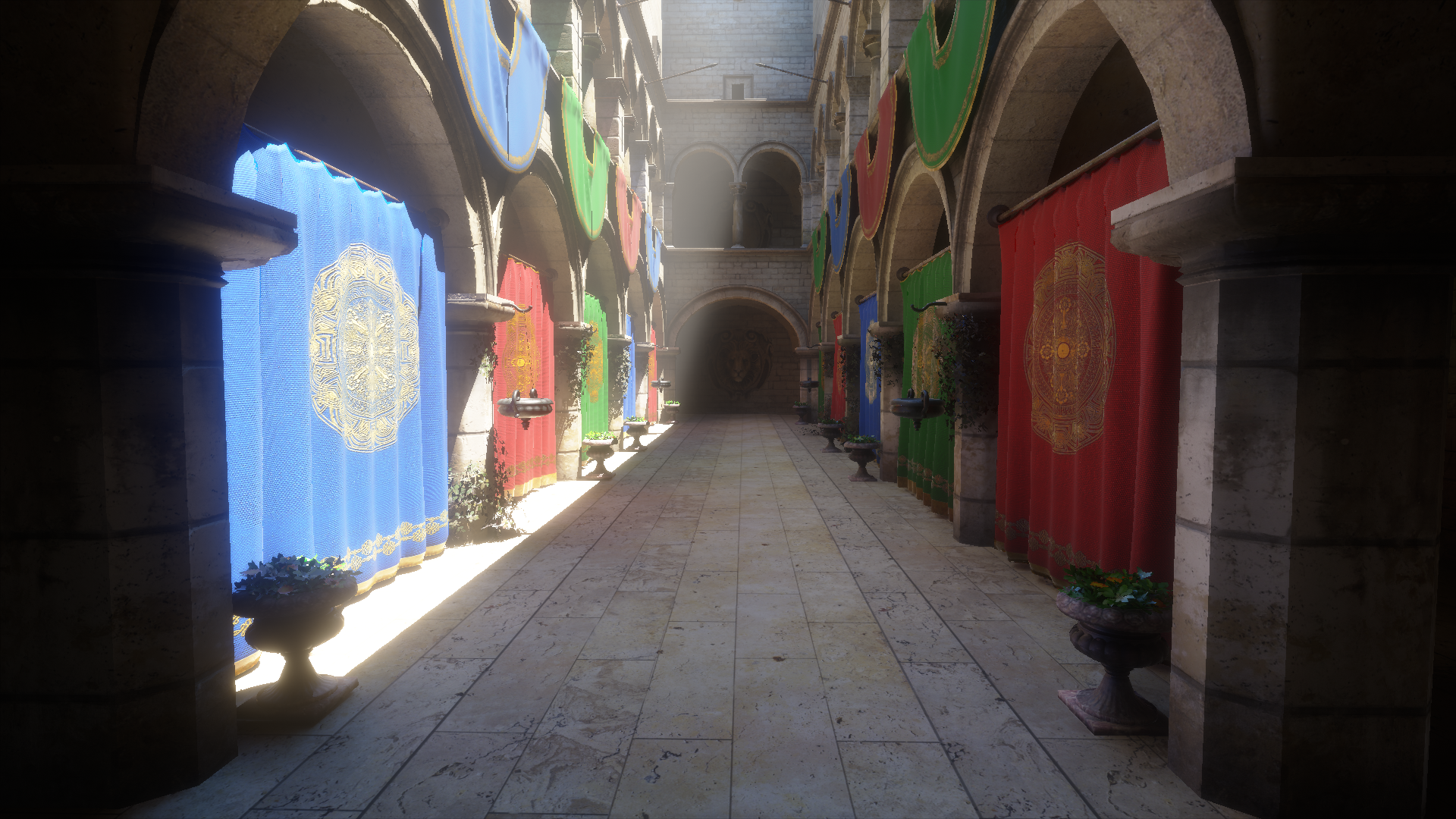
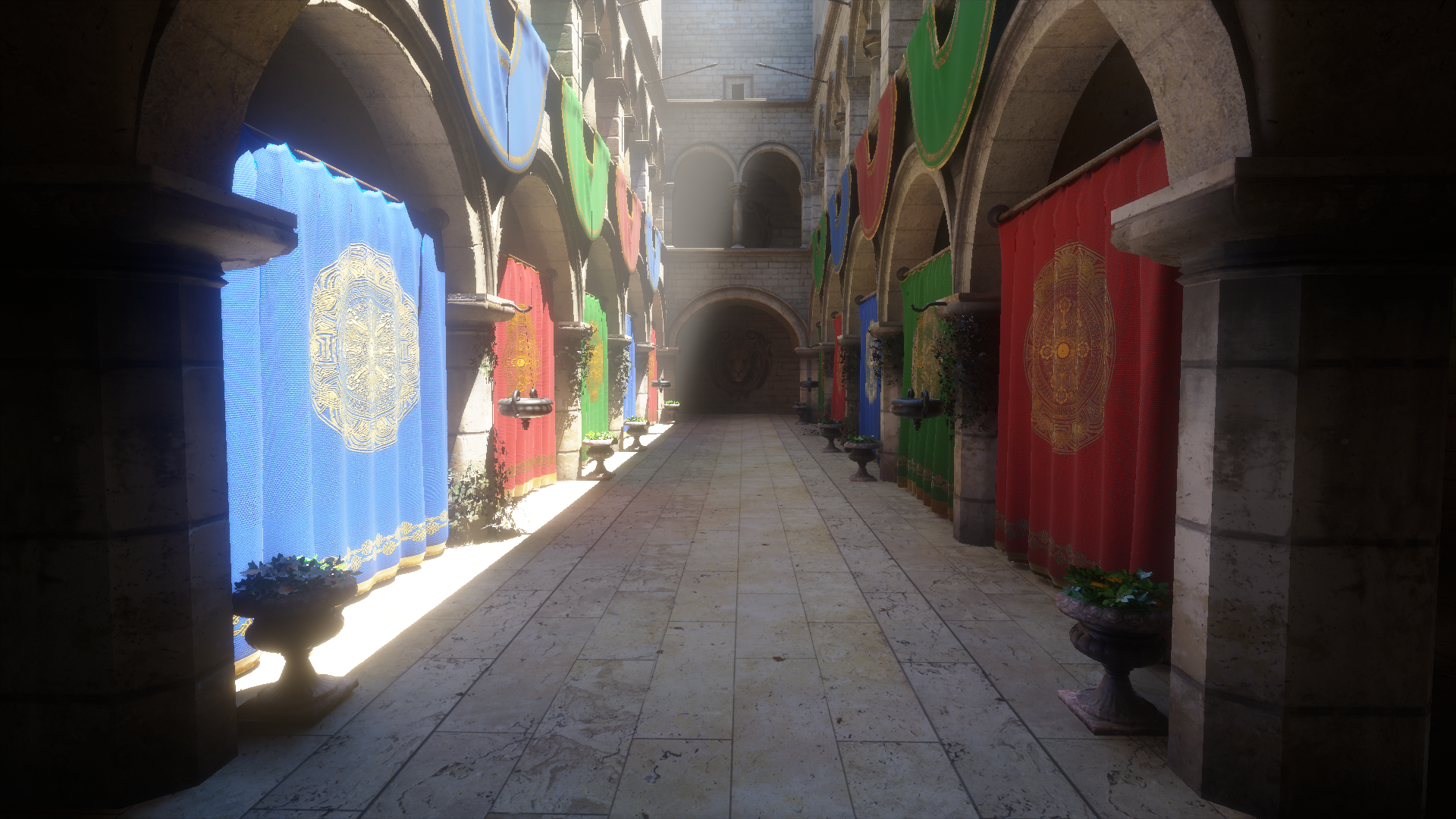
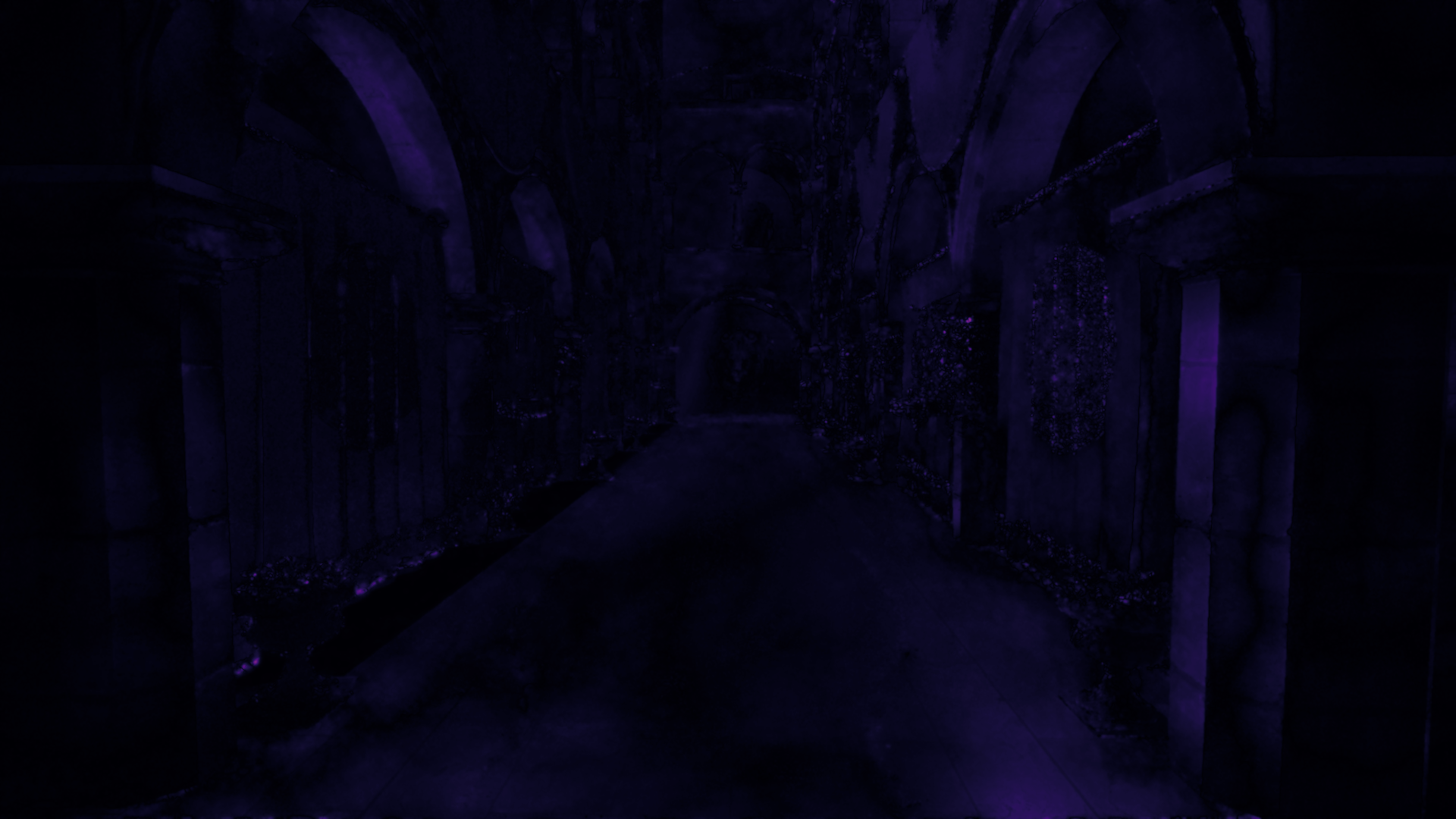
Stats
Tracing coverage
- Variable rate
- 23.87% tracing pixels
- Full rate
- 100% tracing pixels
FLIP error
- Mean
- 0.035069
- Weighted median
- 0.048289
- 1st weighted quartile
- 0.032267
- 3rd weighted quartile
- 0.071649
- Min
- 0.000000
- Max
- 0.382221
Pica Pica
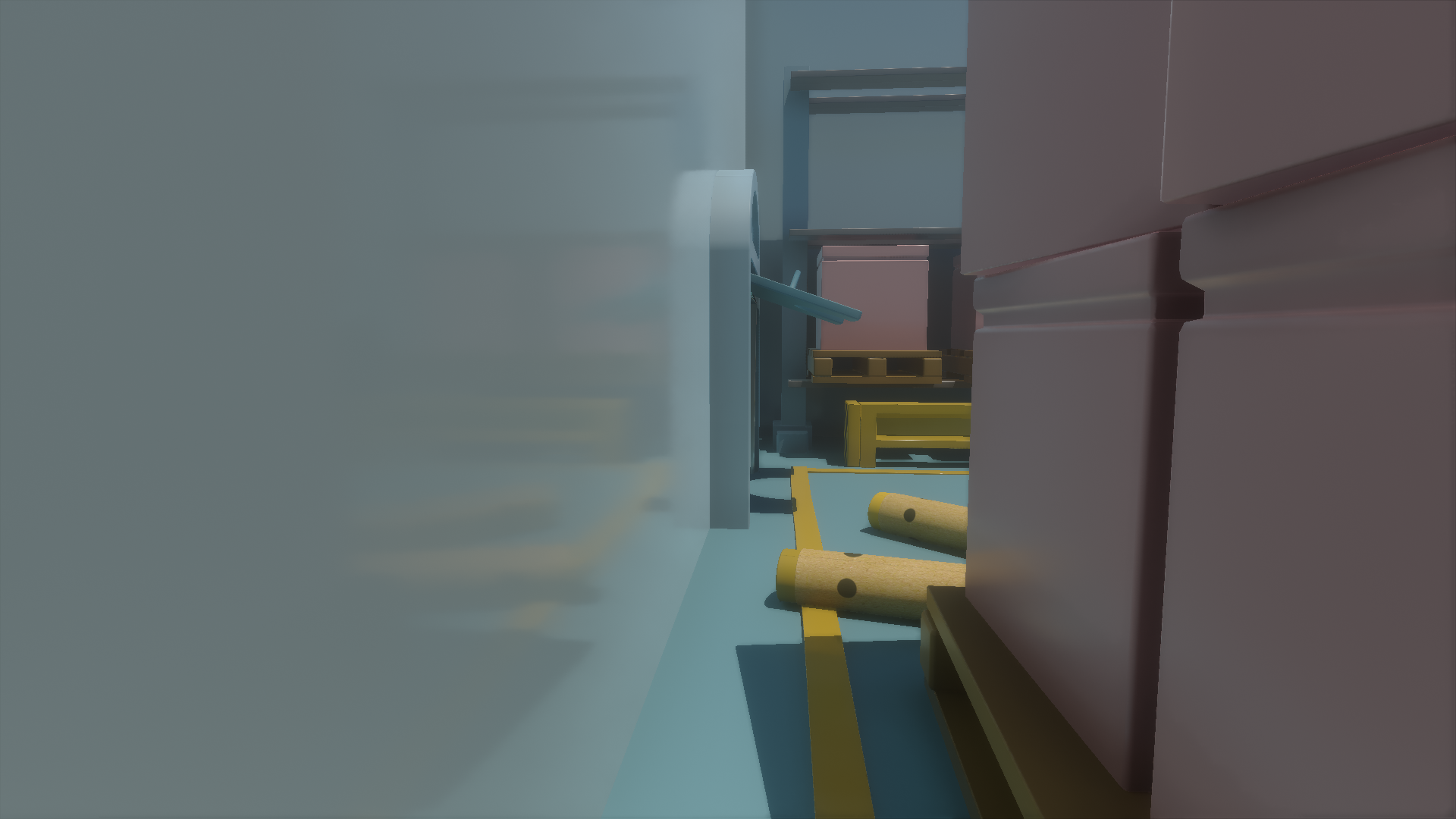
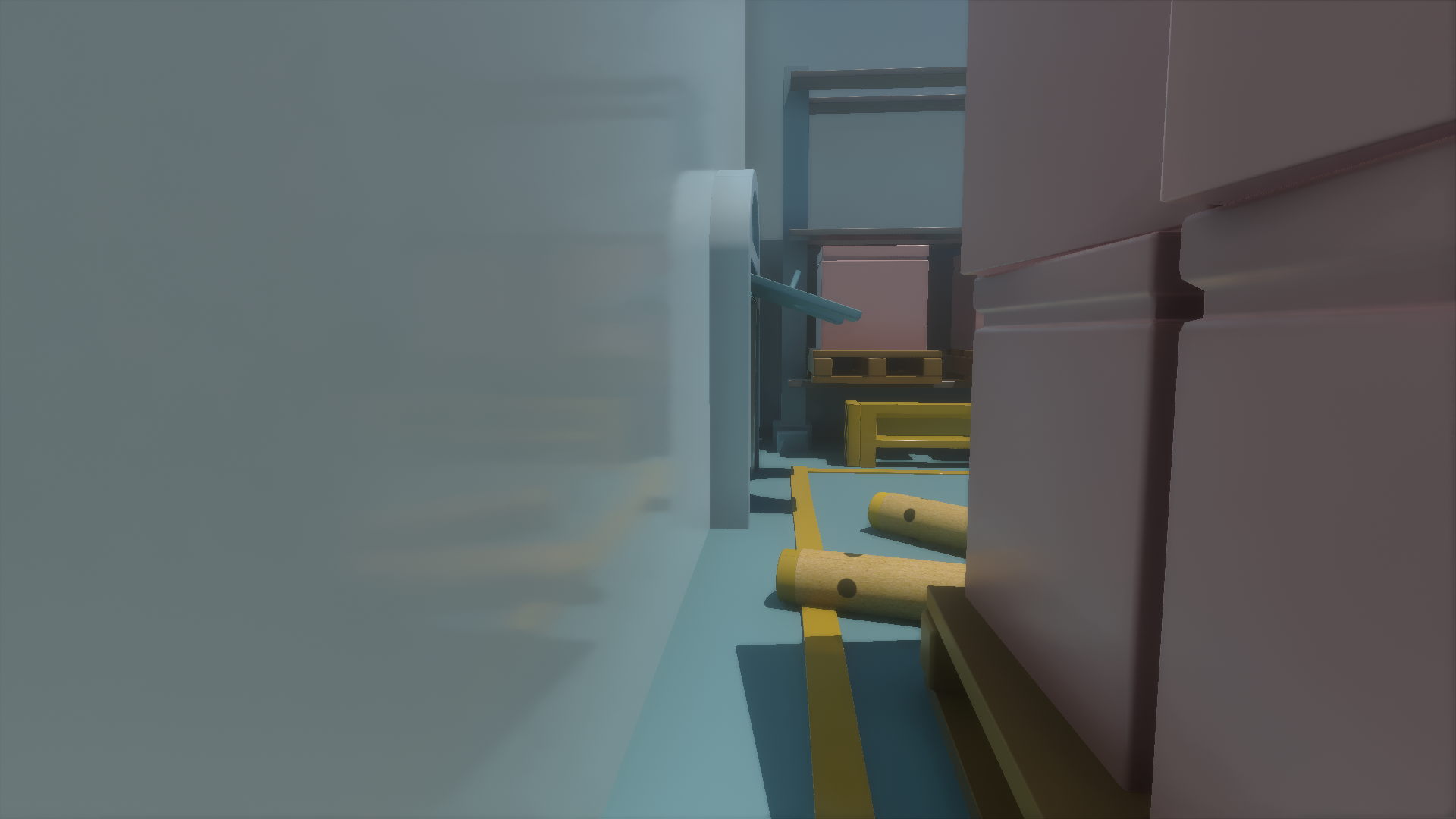
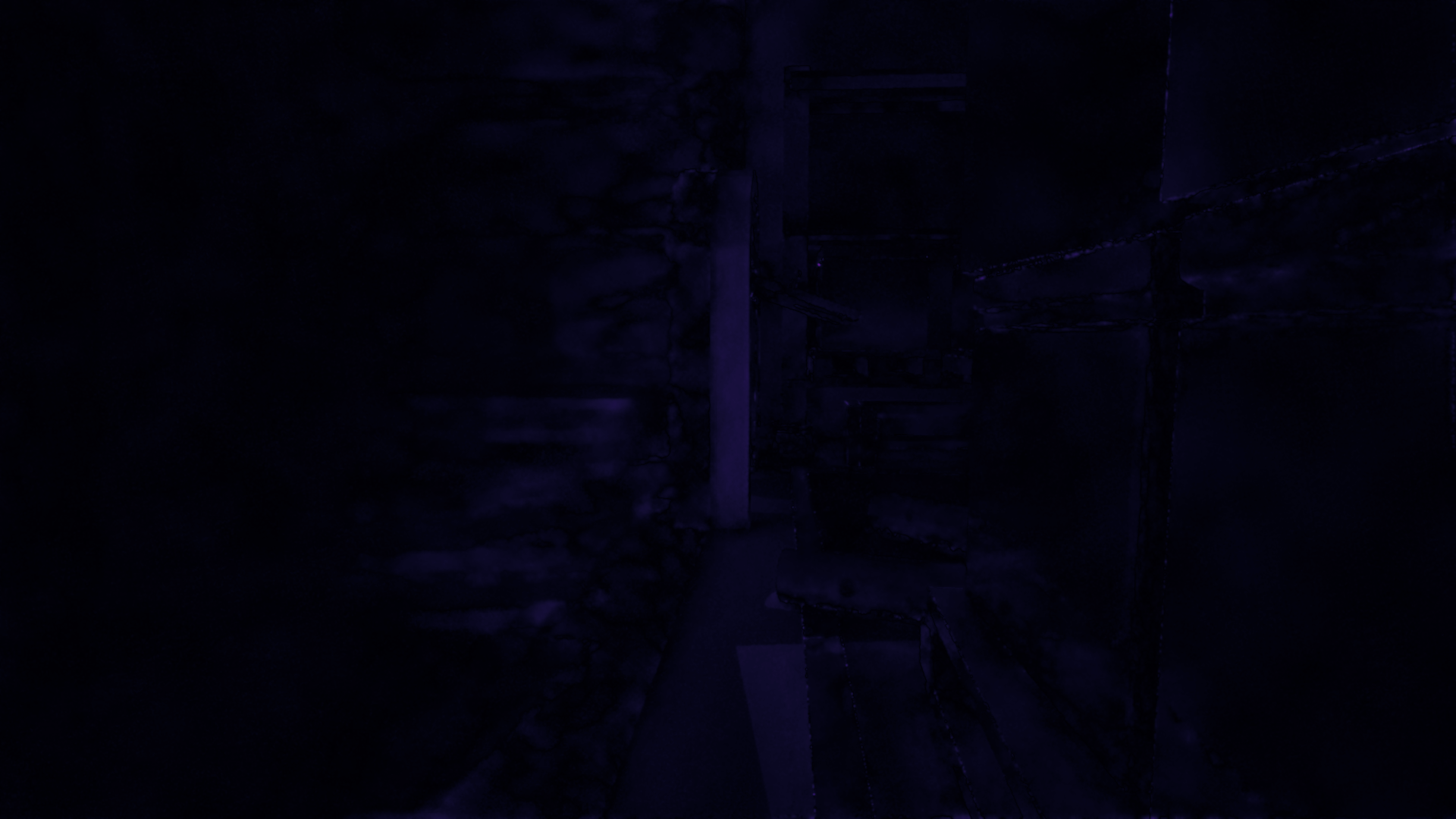
Stats
Tracing coverage
- Variable rate
- 21.04% tracing pixels
- Full rate
- 100% tracing pixels
FLIP error
- Mean
- 0.023469
- Weighted median
- 0.028744
- 1st weighted quartile
- 0.018740
- 3rd weighted quartile
- 0.043563
- Min
- 0.000066
- Max
- 0.289845
Pica Pica (fully metallic)
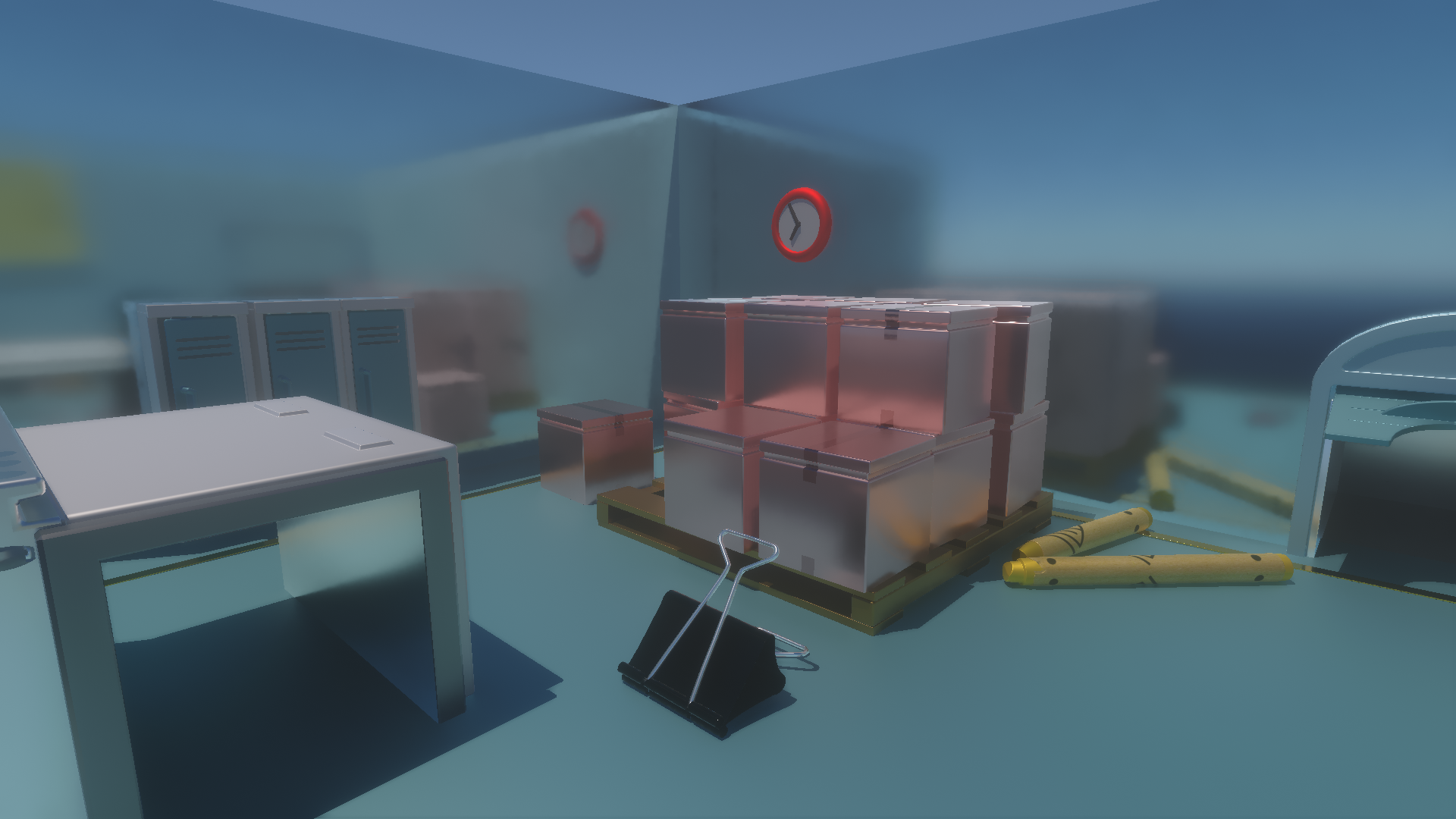
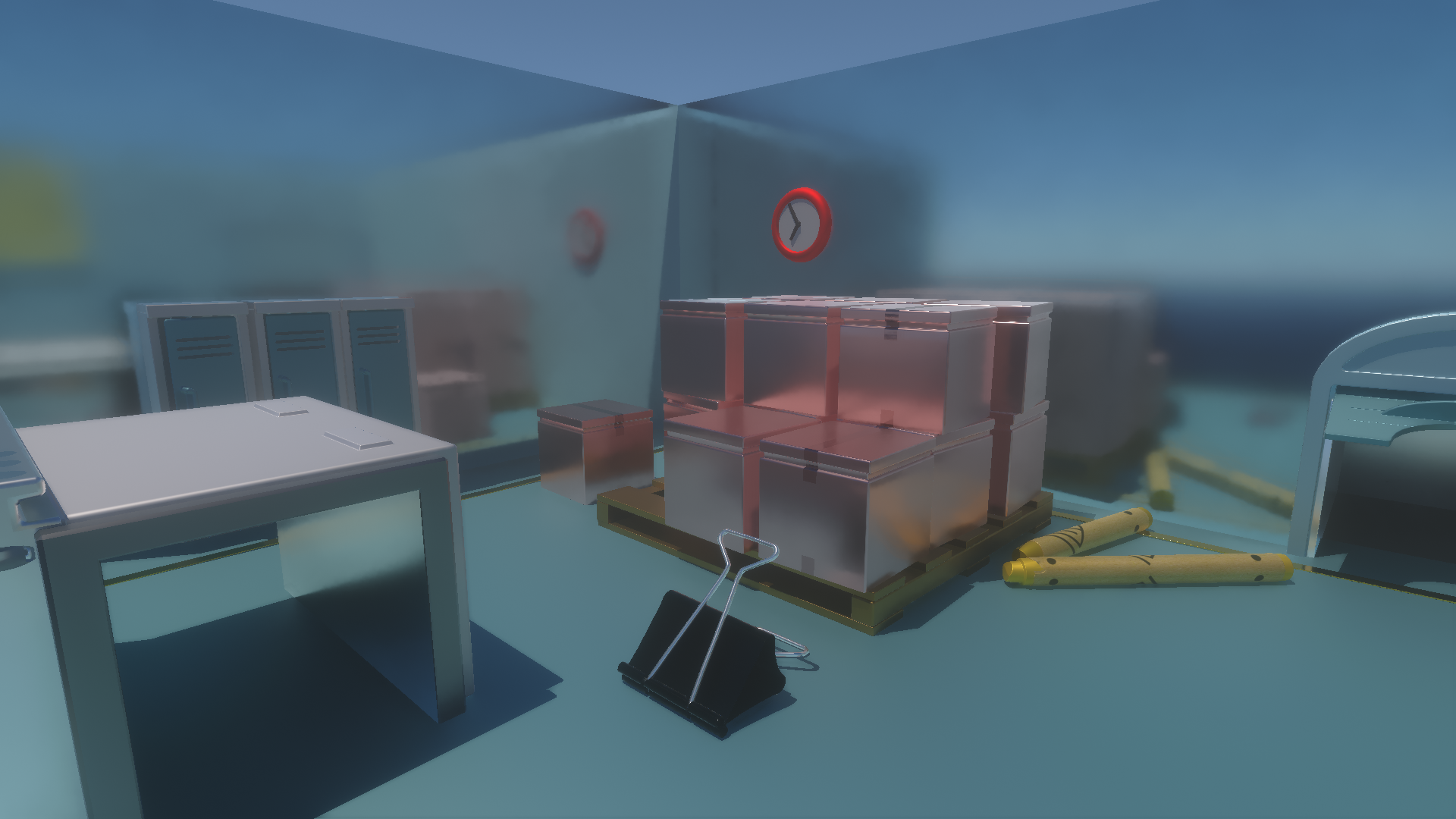
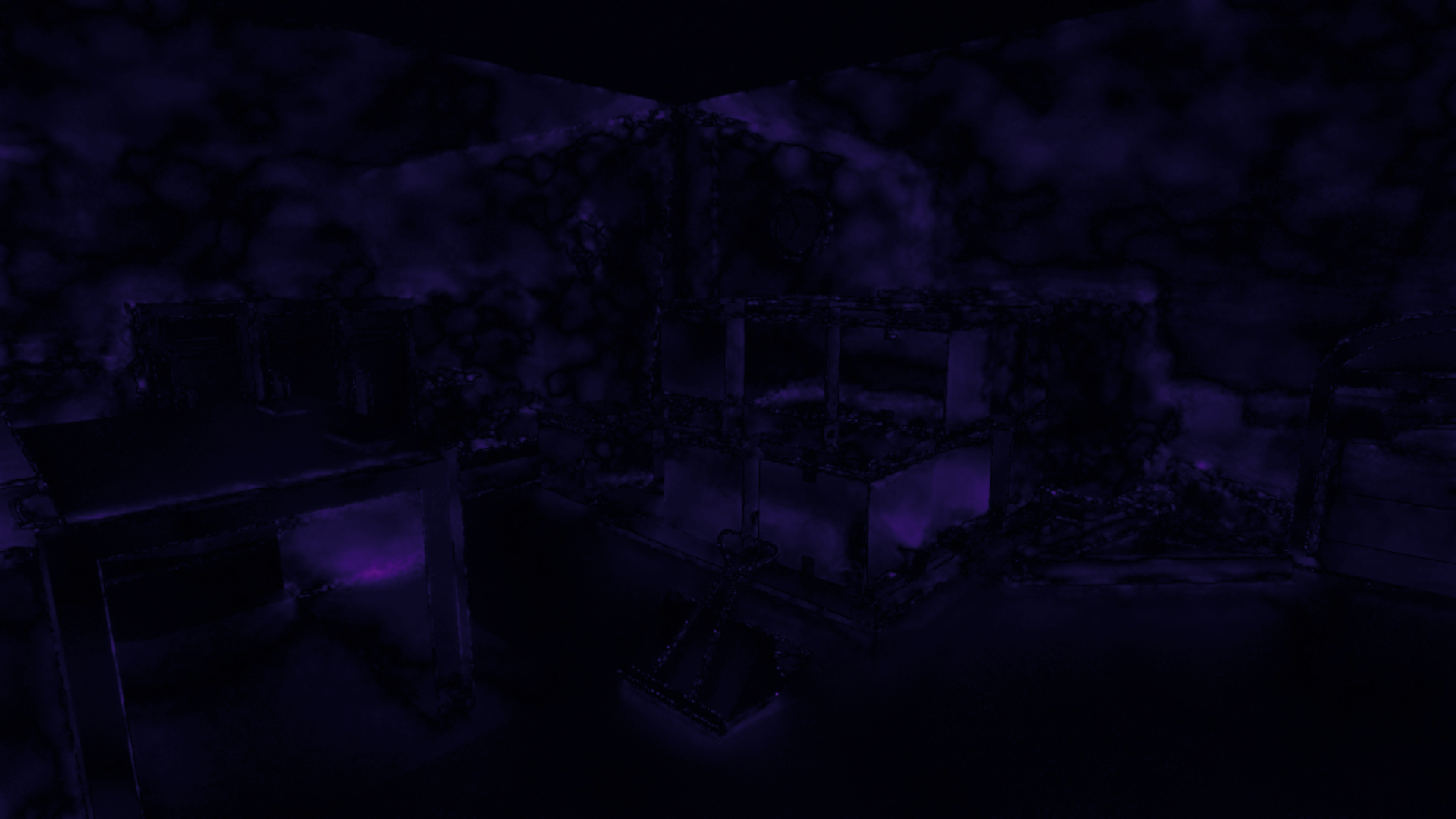
Stats
Tracing coverage
- Variable rate
- 24.75% tracing pixels
- Full rate
- 100% tracing pixels
FLIP error
- Mean
- 0.034796
- Weighted median
- 0.044308
- 1st weighted quartile
- 0.029361
- 3rd weighted quartile
- 0.064693
- Min
- 0.000032
- Max
- 0.334454
Sun Temple 1
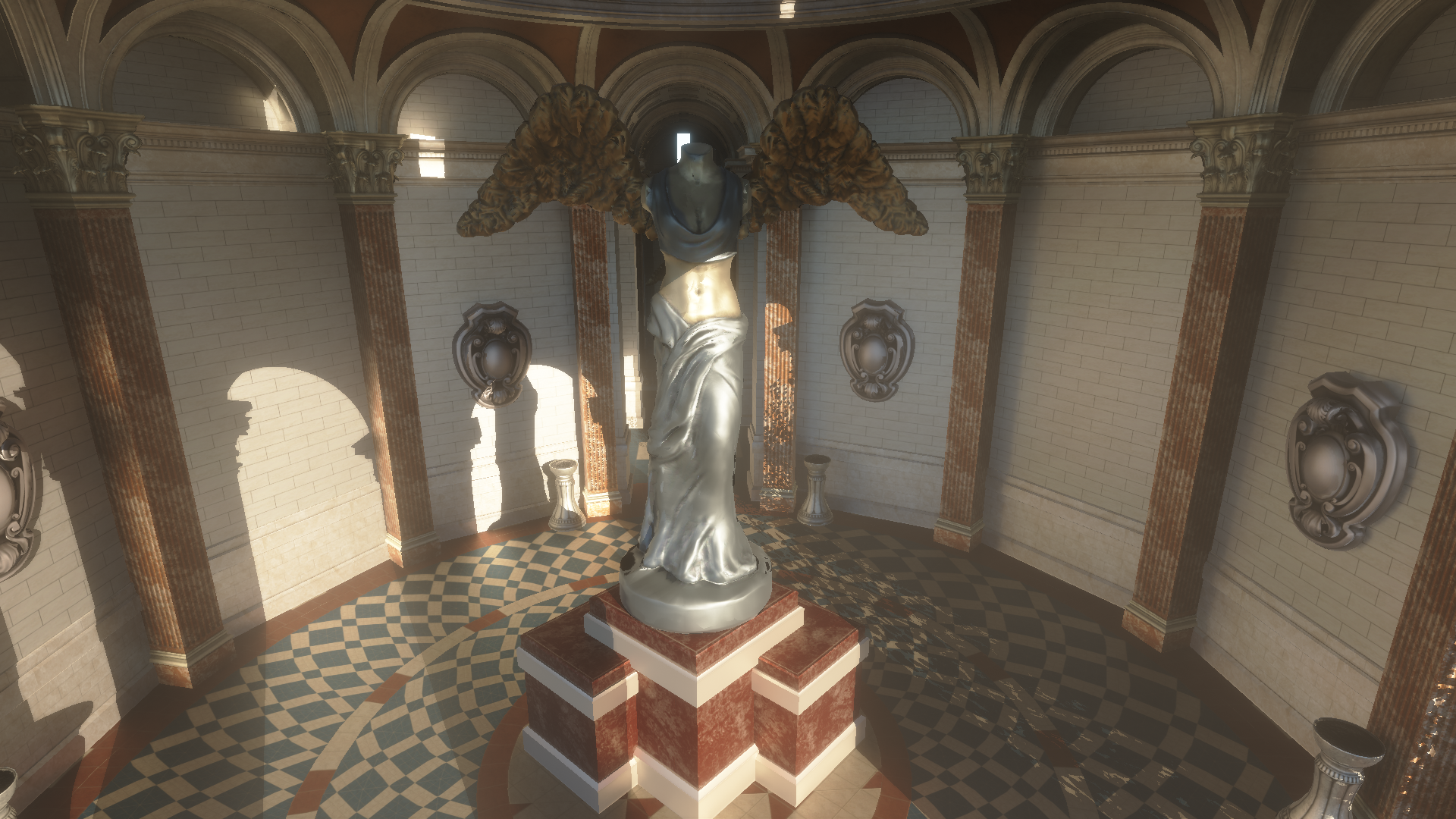
Stats
Tracing coverage
- Variable rate
- 19.57% tracing rays
- Full rate
- 100% tracing rays
FLIP error
- Mean
- 0.043754
- Weighted median
- 0.054918
- 1st weighted quartile
- 0.034874
- 3rd weighted quartile
- 0.089520
- Min
- 0.000086
- Max
- 0.274971
Sun Temple 2
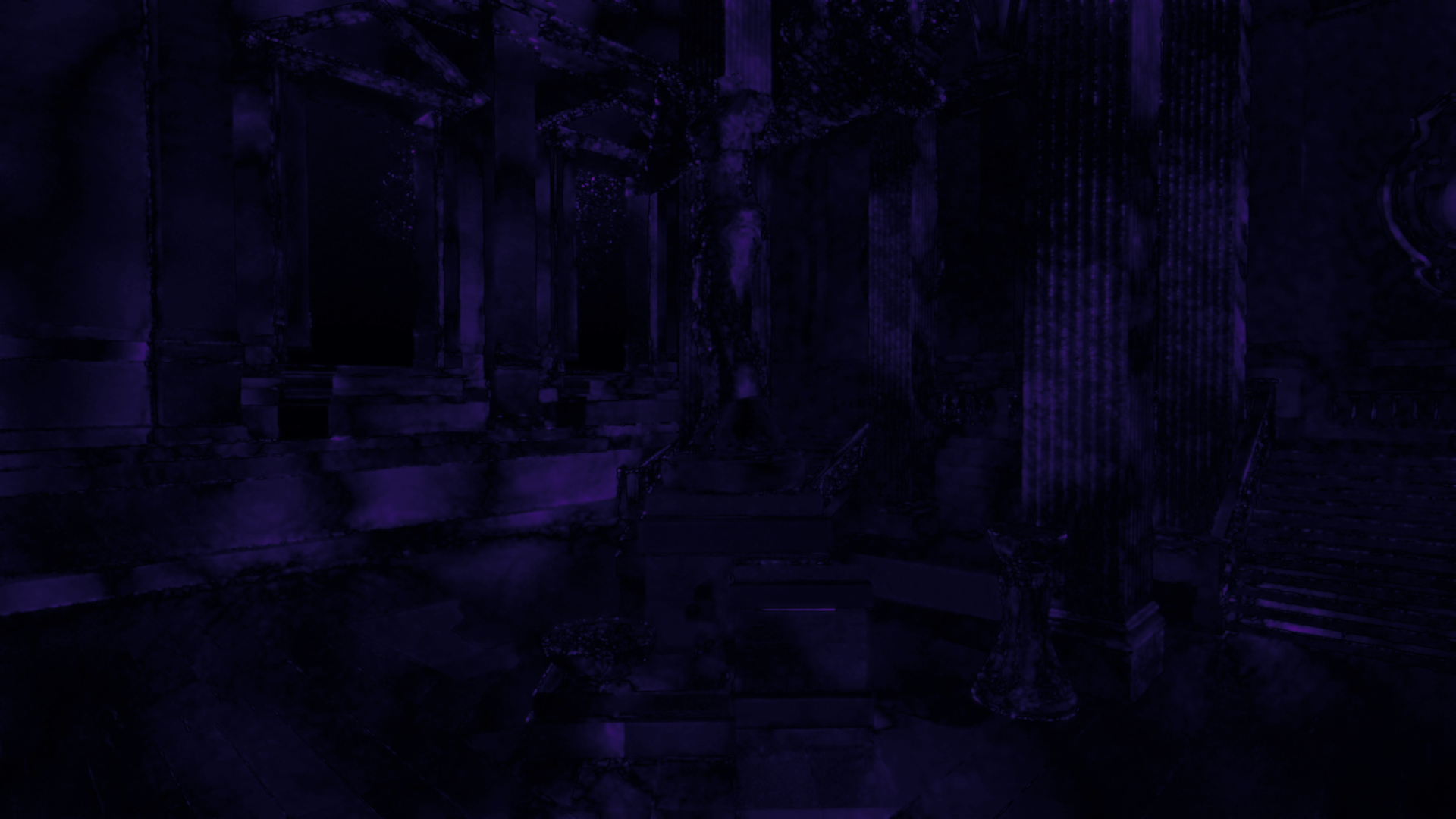
Stats
Tracing coverage
- Variable rate
- 27.05% tracing rays
- Full rate
- 100% tracing rays
FLIP error
- Mean
- 0.041493
- Weighted median
- 0.050049
- 1st weighted quartile
- 0.034952
- 3rd weighted quartile
- 0.071882
- Min
- 0.000000
- Max
- 0.294806
Large vs small blocks
I also compared small (2×2) and large (8×8) tiles directly. As described in the heuristic section, the final tile tracing rate depends on the single pixel with the highest noise value. This naturally means smaller tiles will yield fewer traced pixels overall. However, very small tiles are harder to implement (e.g., allocating 4×4 traces requires accessing multiple tiles, it’s more unpredictable, and therefore it needs a longer history), and they use more memory. So I wanted to see if the potential savings justified the extra complexity.
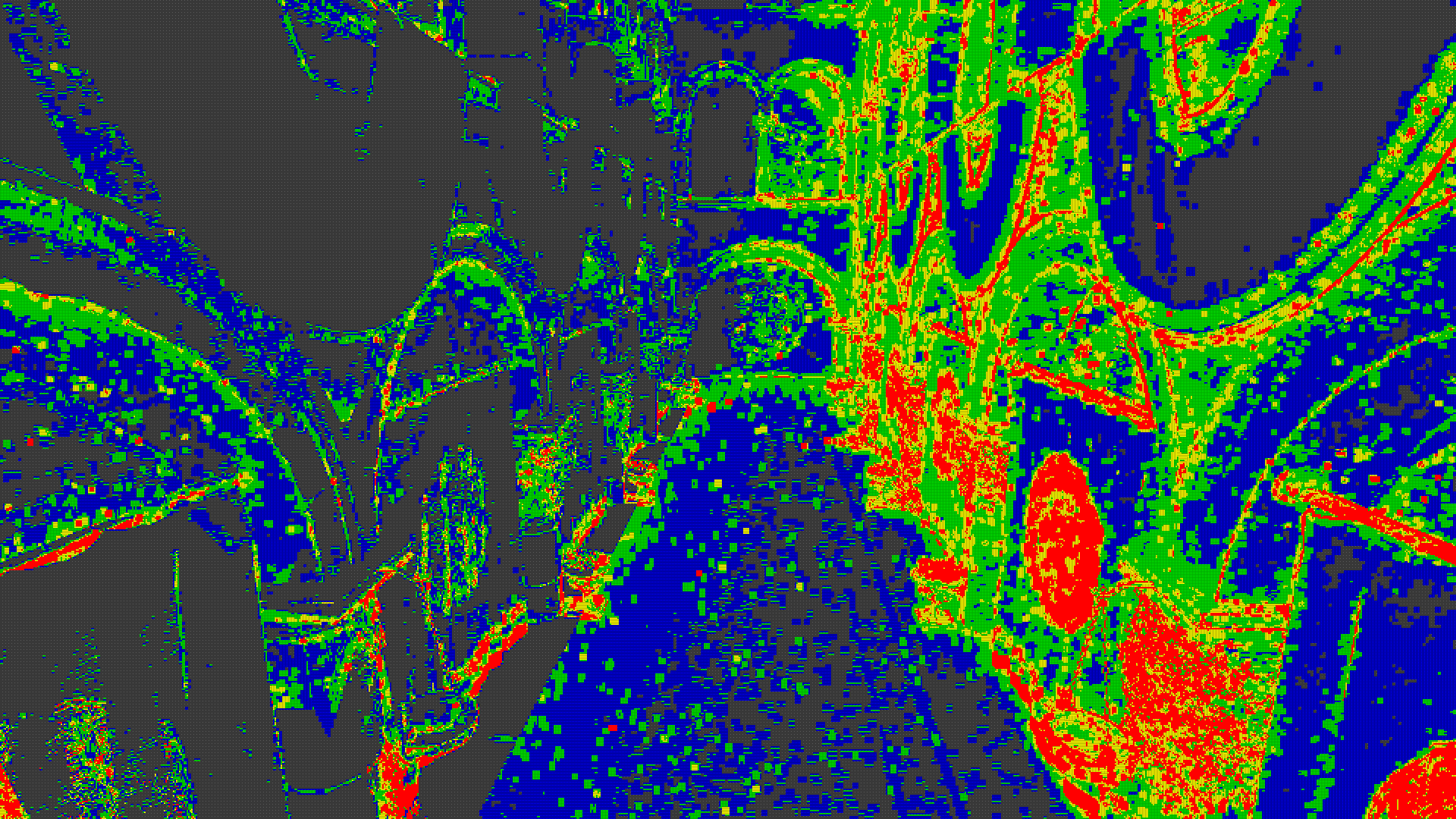
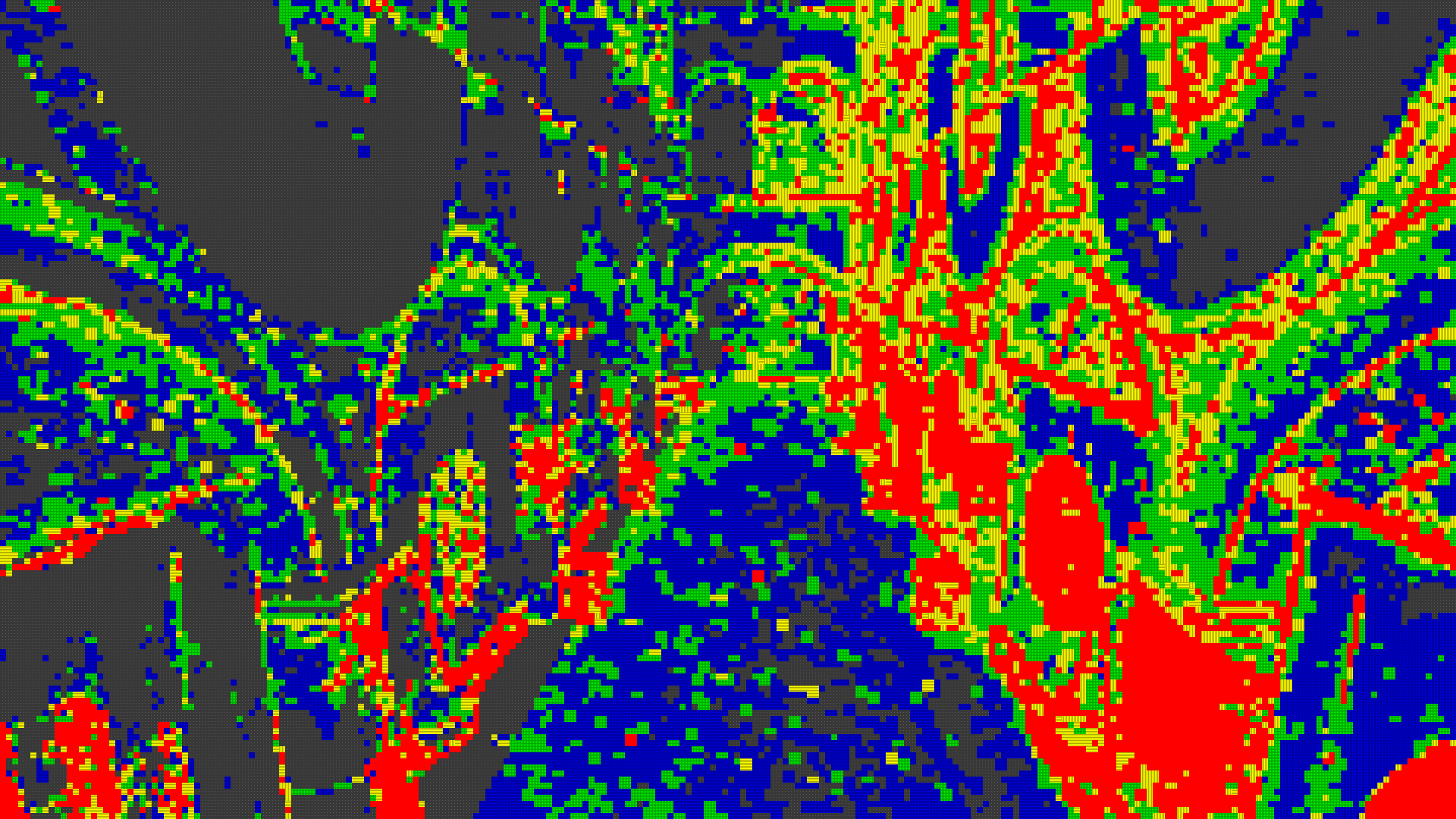
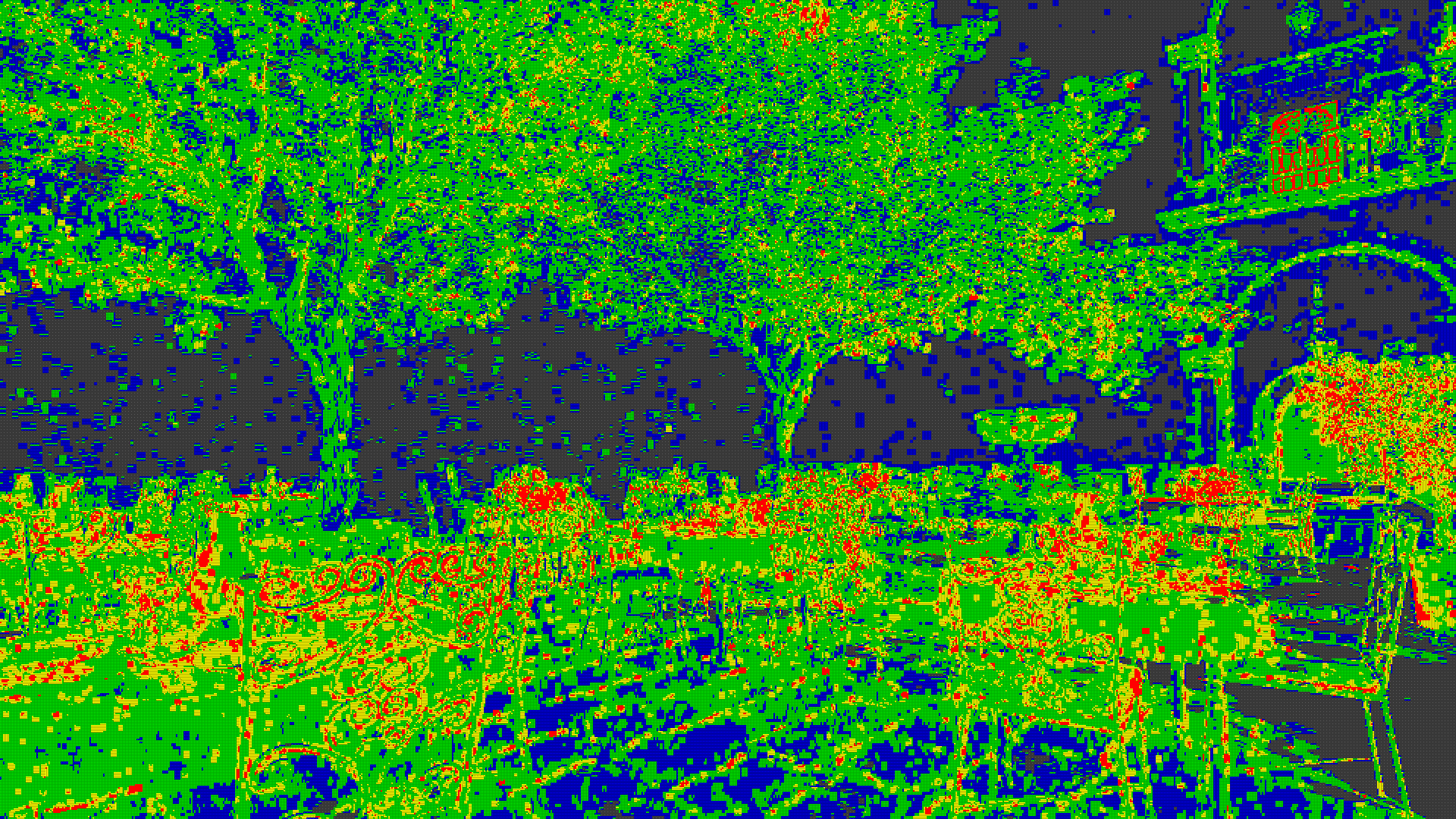
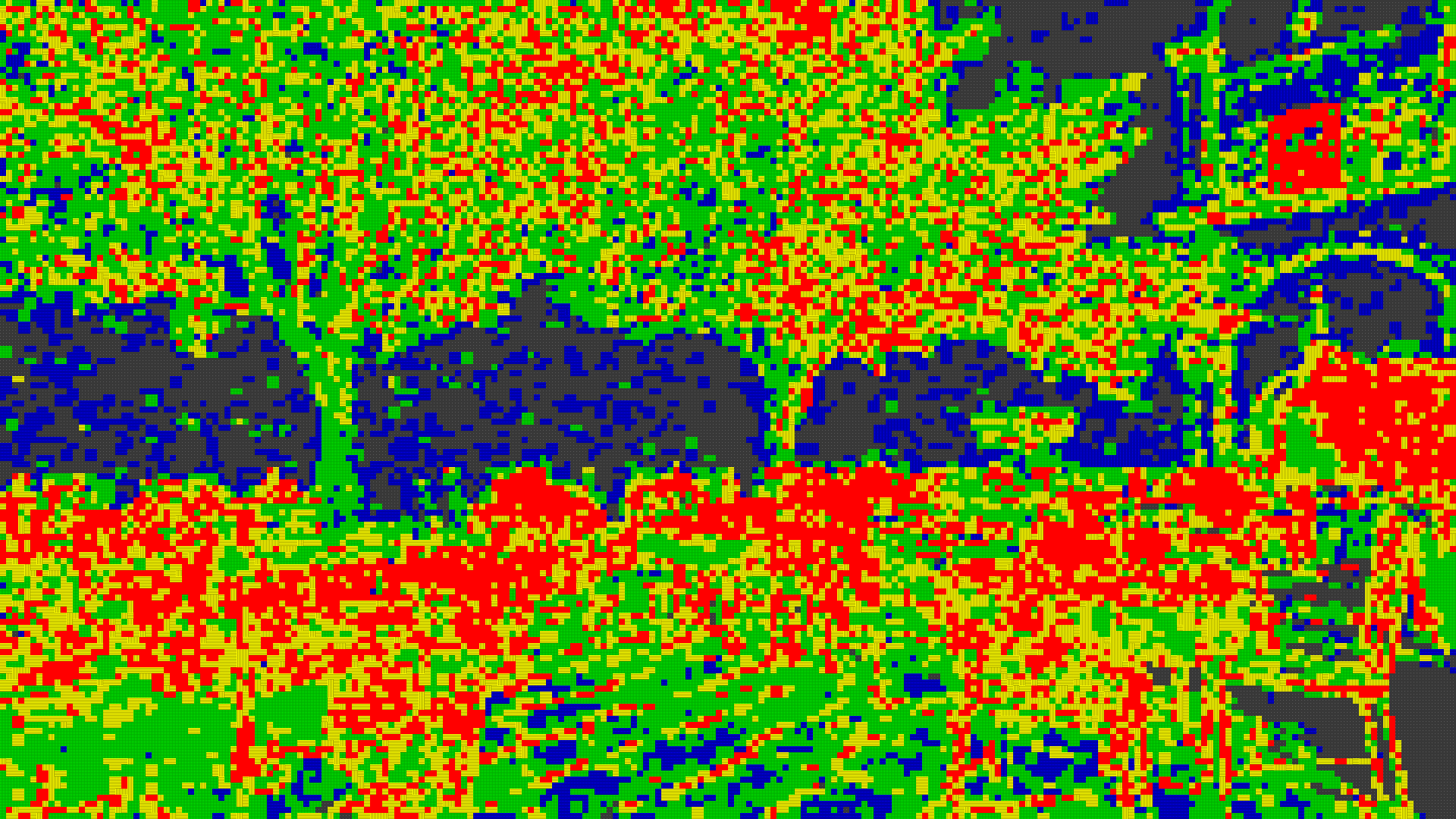
Some prior work - like Nanite GPU-Driven Materials and Software-Based Variable Rate Shading in Call of Duty: Modern Warfare - reported excellent results with small tiles for shading, but I haven’t seen much about small tiles for ray tracing, so I ran a quick comparison myself. In both cases, the heuristic is identical, relying on the single pixel with the highest noise. Below are two examples showing how the percentage of traced pixels differs in two scenes: Sponza, which is extremely simple and presumably wouldn’t benefit much from smaller tiles, and San Miguel, which has many fine details in the trees that often create higher tracing rates in single tiles. I expected little difference in Sponza and a huge difference in San Miguel, but in practice, the smaller tiles helped a lot in both scenes.
Sponza
Small tiles
21.38% tracing pixels
Large tiles
30.54%
Frame:
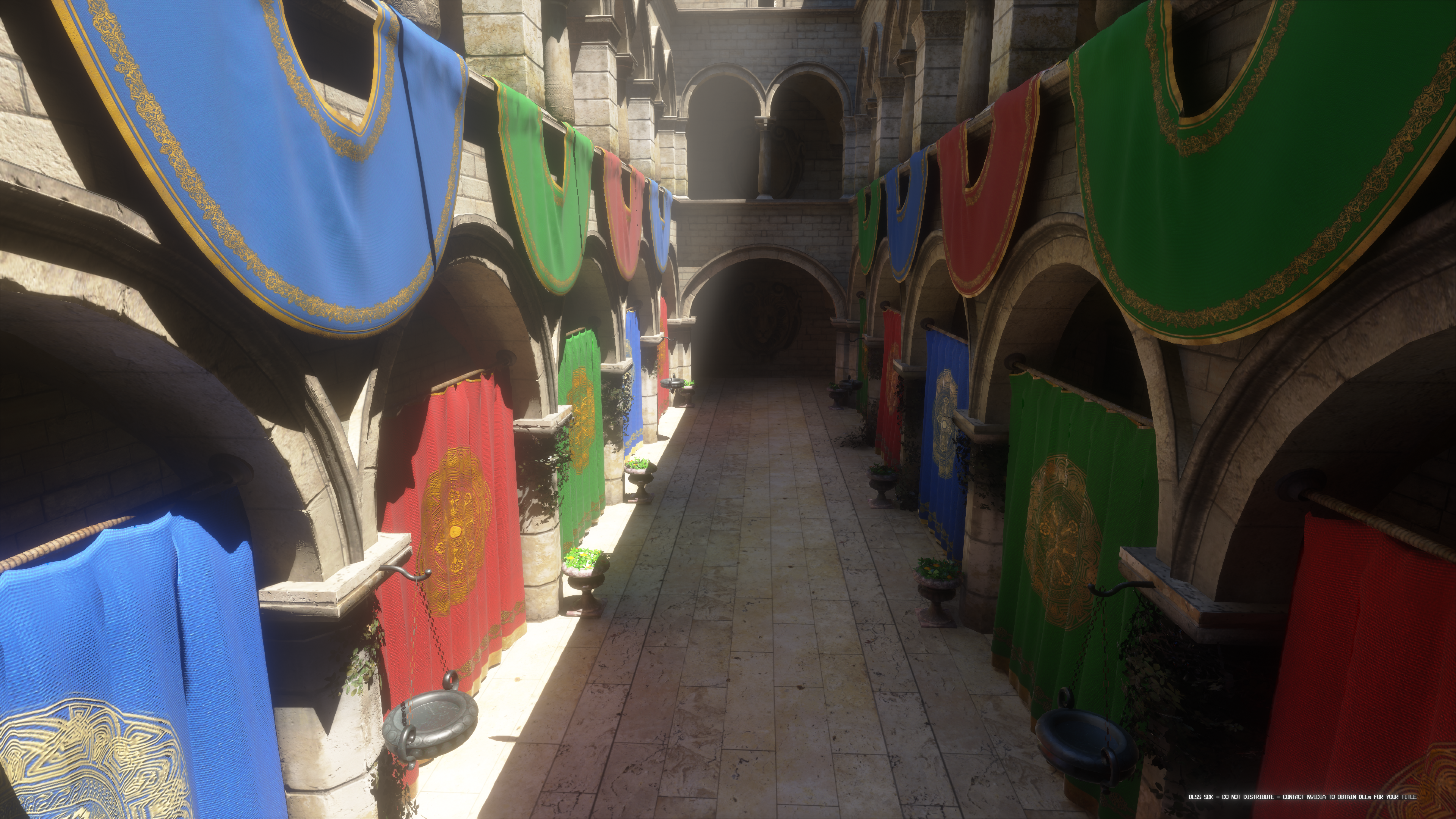
Sponza has very simple geometry, which implies a fairly low and uniform tracing rate in theory. ReSTIR passes can reuse plenty of samples because there aren’t many small geometric details. Even so, using larger tiles with my heuristic resulted in 42.84% more rays traced compared to smaller tiles.
San Miguel
Small tiles:
25.75% tracing pixels
Large tiles:
42.01% tracing pixels
Frame:
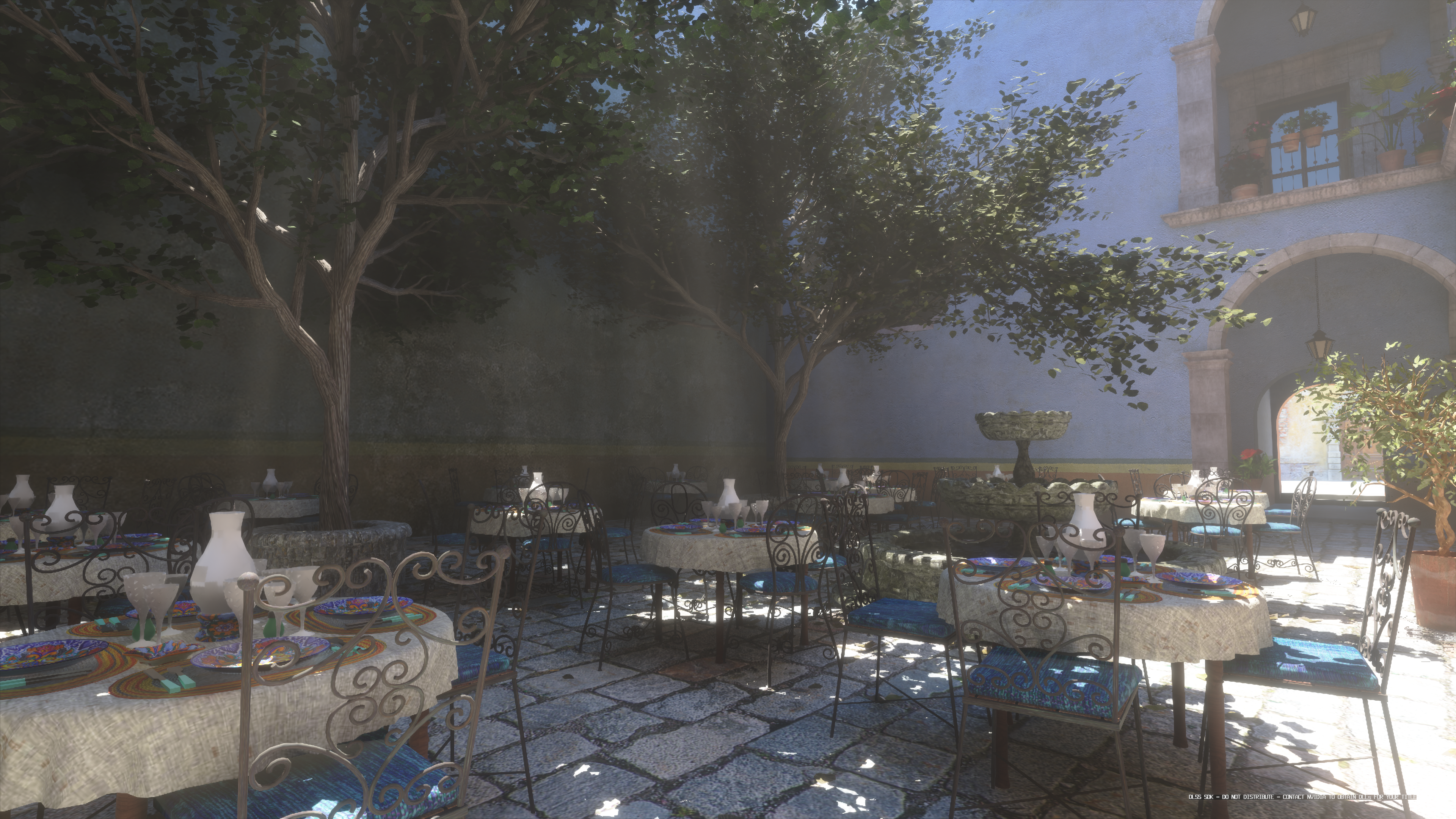
San Miguel is more complex. The large tree in the middle, along with various curved surfaces and fine details (like chairs), creates more depth discontinuities which often results in very different tracing rates. In my tests, larger tiles traced 63.15% more rays than smaller ones.
Things To Improve
There are still a few areas that could be improved. First, variance estimation is currently done during denoising. This was the easiest approach, since the denoiser already handles reprojection and variance tracking. However, it limits flexibility, especially when using third-party denoisers like DLSS RR, which act a bit like a black boxes. It also ties the variance to the kernel size used in the first spatial pass (as SVGF kind of shrinks variance for next passes based on number of samples that were currently used for filtering), making the whole thing harder to tweak and less predictable.
Another issue is handling small, bright spots on the scene. These often require many rays to be able to find them, but with VRT, the tracing rate might drop too low to catch them. If no rays hit these spots, variance drops, and the rate lowers even further. This can darken the scene or introduce noise.
Conclusions
In this blog post, I described how I integrated variable rate tracing (VRT) with ReSTIR in my personal project. I also tested the approach across various scenes and materials, comparing both quality and performance against a full-rate baseline.
References:
- It Just Works: Ray-Traced Reflections in Battlefield V
- Raytracing in Snowdrop: An Optimized Lighting Pipeline for Consoles
- Raytracing in Snowdrop: An Optimized Lighting Pipeline for Consoles
- “The Rendering of The Callisto Protocol”
- Nanite GPU-Driven Materials
- “Software-Based Variable Rate Shading in Call of Duty: Modern Warfare”
- “Real-Time rendering’s next frontier: Adopting lessons from offline ray tracing to real-time ray tracing for practical pipelines”
- “The Design and Evolution of Disney’s Hyperion Renderer”
- Accelerating raytracing using software VRS
- Variable Rate Compute Shaders - Halving Deferred Lighting Time
- A Gentle Introduction To ReSTIR Path Reuse in Real-TIme
- A gentler introduction to ReSTIR
- Spatiotemporal reservoir resampling for real-time ray tracing with dynamic direct lighting
- ReSTIR GI: Path Resampling for Real-Time Path Tracing
- Generalized resampled importance sampling: foundations of ReSTIR
- GPU Zen 3
- Kajiya Global illumination overview
- SVGF denoiser
- Bessel’s correction
- Frostbite
- Far Cry 6
- RTXGI
- “ReLAX: A Denoiser Tailored to Work with the ReSTIR Algorithm”